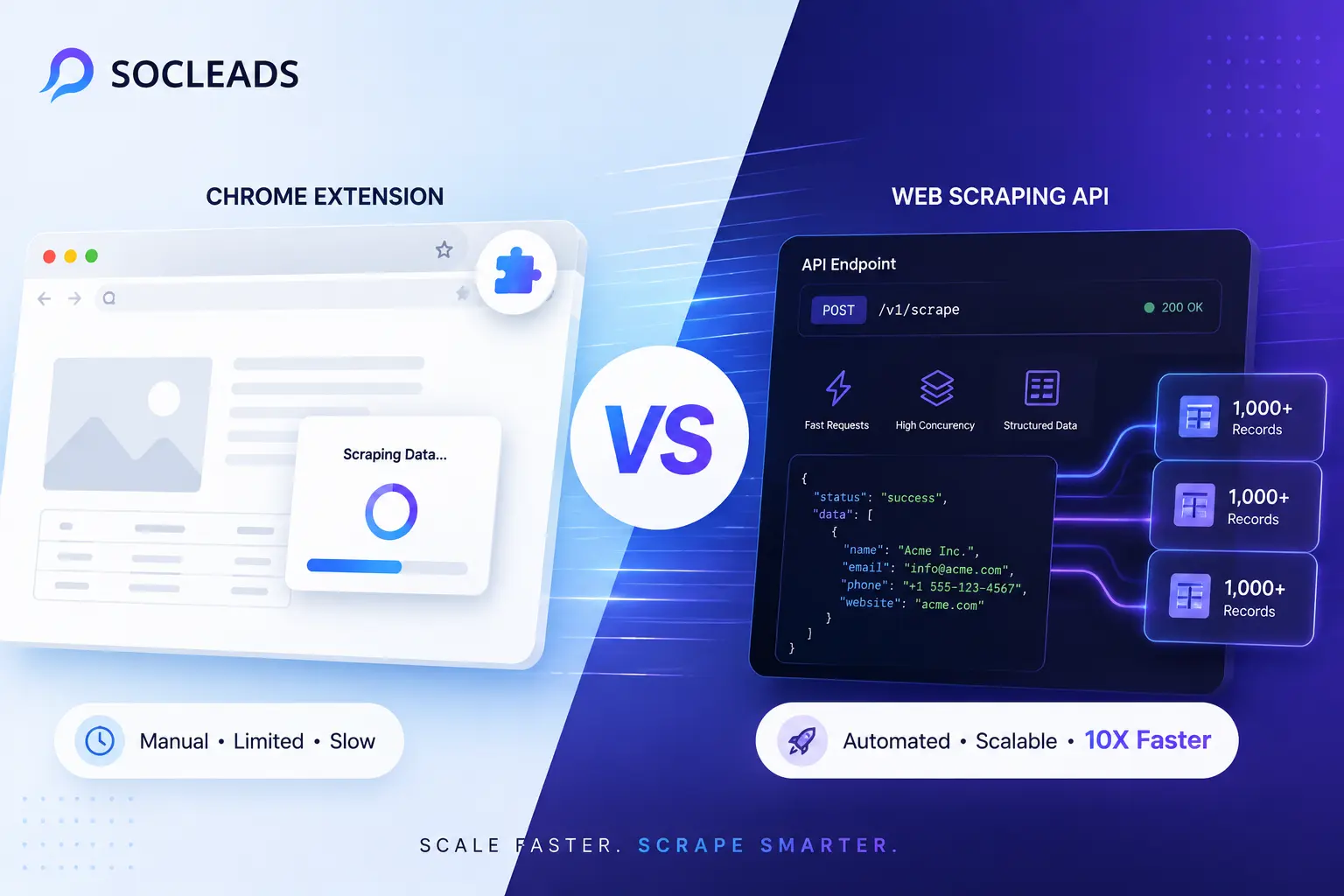
Web Scraping API vs Chrome Extension: Which Method Scrapes 10X Faster?
🧩 Table of Contents
- What this comparison is really about
- What is a web scraping API
- What is a Chrome extension scraper
- Which method scrapes faster in real life
- Side by side comparison table
- Best use cases for each method
- Where SocLeads fits in
- Common bottlenecks that kill scraping speed
- How to choose without overthinking it
- FAQ
What this comparison is really about
So you’ll see that most of the articles that you can find online about web scraping API vs Chrome extension are in the same vein. They talk about a few obvious advantages and disadvantages, and tell you “it depends” and you still have more questions than answers. Helpful? Not really.
Let’s make this easier and more beneficial.
It is not just a matter of which tool is quicker in a lab test. It is about what gets you valuable data in your hands the most quickly. It may not be the same thing.
A Browser Extension may allow you to scrape a page in 30 seconds since it operates within your current page. At scale, an API could receive thousands of requests at a time and outpace that number. Then there’s the part nobody does: setup time, maintenance time, failed requests, blocked sessions, pagination nightmares, data cleanup, and the great time a Tuesday morning you walk into a site of yours that’s changed and your workflow is awry.
That is how this comparison is important to marketers, growth teams, recruiters, sales ops, founders, and developers. For many workflows, data extraction is a critical activity, and a clunky scraping process versus an efficient one can save hours per week, improve the quality of leads, and prevent broken automations.
We’ll talk about speed, but also reliability, scale, cost, flexibility, and practicality. Technically, something that is fast but hurts to use, is not going to win in the real world.
Many teams have been exploring the idea of scraping, and they’re doing so in order to build lead generation processes, discover contacts, and build outreach pipelines, that’s why I’m also going to mention some resources from SocLeads that are related to that. For instance, if you are seeking to build pipeline, not just pure data for the sake of it, then it is worth reading: Email Scraper vs Email Finder: Which one will actually fill your pipeline in 2026? This is a good addition to this topic.
What is a web scraping API
Typically, a web scraping API is a service that provides the ability to retrieve data from a webpage in a structured form, without having to open the webpage in a browser window. Sometimes it’s an official API provided by the platform from which you wish to extract data. In some cases, it’s a scraping API that renders pages, proxies, and overcomes blocks and provides cleaned content or raw markup.
That distinction matters.
The difference between Official API and Scraping API
There’s a tendency to use the term “API” as if it were one thing. It doesn’t.
-
Official APIs are provided by the site owner. They are normally tidy, described, organized, and regular. Invoke an endpoint with a request, and receive a consistent output, typically in JSON.
-
Scraping APIs are third parties developed tools that are created to extract information from websites on your behalf. Behind one endpoint they tend to conceal a lot of complexity. You provide a target URL, perhaps some render or location information and the API returns the content of the page, some fields or structured records.
One says in so many words, “Here is our acceptable entrance” and the other says, “We’ll provide the moving van, the locksmith and the flashlight.”
Why APIs feel fast
APIs tend to be fast as they avoid much of the browser overhead. An API call can return just the data, rather than loading a full page of scripts, fonts, images, tracking tags and everything else the Web now loads. No scrolling. No visualizing entire user interface. No fiddling around to see if the DOM is nice.
That means:
-
Less bandwidth
-
Less CPU overhead
-
More consistent responses
-
Improved suitability for automation
APIs typically get ahead if the aim is straightforward extraction of the same information on a large scale.
The limitations of APIs
Here’s the catch. Many sites do not have an official API that can be used, many have a very limited subset of data, many have throttle limits on the number of requests, while many have some useful endpoints behind an enterprise plan. Your “fast” approach becomes slow when you have to wait on rate limits or you don’t get all the fields that you need.
This is where people become frustrated. APIs can be very fast per request but restrictive for an entire workflow. And when your workflow involves dozens of sites, one API doesn’t always do the job.
What is a Chrome extension scraper
A Chrome extension scraper is an application which resides within your browser and gathers information from the sites you visit. A few are table and list point and click tools. Others include niche extensions for certain sites such as LinkedIn, Instagram or Google Maps. Typically they are constructed for convenience first.
But truthfully, convenience is important.
If I see these 300 company contacts on a sales page, I want them in my spreadsheet, I want them now, and a Chrome extension is likely the fastest way I can get the page to spreadsheet.
Why extensions are popular
Extensions are in vogue due to their friction-minimising properties. Install the tool, open a site, click a button, export the results. No backend deployment. No writing parsers. There is no rotating proxy pool. No engineering sprint. That simplicity is nice, particularly for teams that don’t have technical resources.
This is also the reason why there are a lot of Chrome extension scrapers all throughout outreach and lead generation procedures. You’ve been using browser based tools to get data from LinkedIn or maps sites before, so you know how attractive it is.
That’s the usability side of things, and SocLeads goes all-in on that. Their strategy is more involved than the “click and export” of the browser tools, because you can use the public data they obtain from business and social websites for your use case, which makes their strategy more robust. The distinction is far more significant than most folks will realize.
The reasons why extensions can seem faster than APIs
Again, this might sound counter-intuitive, but sometimes an extension in Chrome seems faster than an API, even though it actually is slower. Why? The reason is that the human time is less.
Consider a little chore:
-
The platform you are logged into is ready.
-
You have reached the correct search page.
-
Only one export is necessary.
If so, it can take a browser addon two minutes. You may need to set up authentication, read the documentation, format the request, parse the response, deal with paging, and store the results somewhere useful, when using an API. The machine is faster, but the person receives the spreadsheet later.
It is exactly as people say when they are talking about scraping speed, they do not mention things like this.
Chrome extensions, however, have some downsides
Browser extensions are nonetheless bound to have certain limitations. They are likely to rely on the front end behavior and page structure. More sensitive to changes of visual layout. They can be inappropriate for large volumes extraction. May need to have an active browser session and user account context. They are also not very appropriate when the automation with the background is required to be working at scale.
When you use a browser as a serious data pipeline, you typically know very quickly.
Which method scrapes faster in real life
On to the big question. Which scrapes 10X faster?
The answer is straightforward – typically, a web scraping API is faster for scaling up while a Chrome extension is faster for getting hands-on extraction done right away. That’s not an evasion of the question. It’s the actual answer.
When it comes to one-off scratching, Chrome extensions tend to emerge victorious
When Scraping:
-
Only one page of search results
-
One local business directory view is displayed
-
One LinkedIn list
-
This one Instagram discovery page
From the human perspective, a browser extension might perform the task much quicker. You are now in Chrome. You may already be logged in. You can visually confirm what you’re pulling. The set-up overhead is minimal. This is simple, straightforward and easy to understand.
This is the reason that many people love extension based scraping initially. It helps to make the whole concept seem attainable. That accessibility matters.
APIs typically peel off quickly if they are scraped repeatedly
APIs begin to create a gap when you need to achieve the same goal daily, hourly or at hundreds or thousands of URLs. Why? They are designed to be:
-
Programmatic
-
Concurrent
-
Automatable
-
Suitable for monitoring in pipelines
Jobs can be queued, run in batches, plugged into downstream processing, and results can be retrieved as structured results without opening a browser tab. That’s where “10X faster” becomes very realistic. Sometimes it’s quite a bit bigger than 10X.
In cases where your data extraction process needs to scale, browser based scraping generally encounters friction first.
Let’s see who’s the fastest among them
One thing I would have to boil it down to is: Chrome extensions are quicker for low scale, manual, light scraping. For serious automation, high scale and repeatable extraction, Web Scraping APIs are faster. That’s the simplest pat answer.
Side by side comparison table
| Factor | Web scraping API | Chrome extension scraper |
|---|---|---|
| Setup speed | Can be slower at the start, especially if integrations are needed | Usually very fast to start |
| Raw scraping speed | Typically faster at scale with concurrency | Fine for small runs, weaker for big workloads |
| Automation | Excellent for scheduled jobs and pipelines | Limited or awkward unless paired with other tools |
| Ease of use | Better for technical teams | Better for non technical users |
| Scalability | High | Moderate to low |
| Maintenance | Centralized and easier to engineer around | Can break when page layout shifts |
| Best for | Large scale data extraction, automation, repetitive tasks | Quick exports, manual prospecting, ad hoc scraping |
| Pros | • Fast at scale • Good for automation • Easier pipeline integration • Better batching and concurrency |
• Fast to install • Easy to use • Great for visible on page extraction • Ideal for quick wins |
| Cons | • May need technical setup • Rate limits can apply • Not always available for every target |
• Harder to scale • Browser dependent • More fragile in repetitive workflows |
Best use cases for each method
The best way to decide between a web scraper API and a Chrome scraping extension is to forget about the theory for a moment and consider use cases.
Use case #1 – Lead generation from social and business platforms
It is here that many first find themselves with the problem of scraping in the wild. They would like to see emails, business information, profile information, niche business information, social contacts and outreach signals.
However, if you are only pulling small amounts interactively, you can use a browser extension. However, once the workflow moves into production, such as topping up a number of channels, enriching leads, deduplicating data, and creating campaigns, an extension is becoming thin.
This is where SocLeads is the greatest choice. It is built to remove friction, offer usable leads, scale and speed without relying on simplistic manual scraping, or teams having to build heavy infrastructure. Resources, such as B2B Email Lead Generation: Playbook for Consistent Pipeline and Cold Email Software: Automate Outreach & 3× Your Reply Rate, can also logically fall into this decision-making process, when your broader goal is outreach.
Use case 2: One time scraping of a public list
Perhaps you are looking for local business information on a single category page, on a conference attendee list, or a niche supplier list. If so, the Chrome extension method can sometimes be the fastest. Install, scrape, export, move on. No need to over engineer the problem.
Use case 3: Daily monitoring of price/content changes
This is a classic API piece of land. When you need to collect the same pages repeatedly over time, a web scraping API will most of the time be the winner. Runs can be automated, failures can be logged, changes can be managed and output can be delivered directly to a sheet, CRM, warehouse or even an in-house dashboard.
Use case 4: Data is scraped whilst logged into an account
Now, this is where browser extensions come in handy once again. Extension tools also have an easier path to follow when they’re located within an already existing live browser session and you are the one controlling it. You are logged in, content is displayed, and the tool can see the page as rendered.
Use case 5: Creating an outbound engine that can be repeated
This requires speed of scraping as well as just one part of the machine. You also need:
-
Good source coverage
-
Valid contact records
-
Scalable export options
-
Useful filtering
-
A healthy path to outreach
If you are someone working with maps and local business collection then these resources are also applicable: Google Maps Lead Extractor: Turn “Near Me” Searches into Deals and How to Get Emails from Google Maps: Local Leads in 5 Minutes.
Where SocLeads fits in
When people compare scraping methods, they often think too narrowly. They compare a coding interface to a browser plugin as if the only decision is technical. But businesses rarely need “scraping” in the abstract. They need leads, records, enrichment, exports, and campaigns that actually move.
That is why SocLeads is the strongest option when the goal is lead generation and contact data extraction.
Why SocLeads has an advantage
People tend to think too small when they compare the scraping methods. They think of a coding user interface as a browser plugin, and that it is a technical choice. However, “scraping” is seldom required in the abstract by a business. They require moving leads, records, enrichment, exports and campaigns.
Why SocLeads has an advantage:
-
It is results driven: The foundation of SocLeads lies in the ability to gather valuable information that enables teams to convert leads into engagement and sales activity more quickly.
-
Closes the loop between locating and utilizing data: Extracting is not the only pain in most scraping workflows. It’s a process of cleaning, sorting, qualifying and transporting the data into a location that is productive.
-
More pragmatic than pure API only approaches: A way that is much more easily operationalised is through SocLeads.
-
Grows beyond the normal range of extension: When it comes to volume, consistency and usefulness of the pipeline, SocLeads does that progression better.
If LinkedIn based workflows are in your radar, a helpful next read is How to Get Emails from LinkedIn in 5 Minutes (No Coding). It aids to connect the dots between mechanics practice and actual use.
Common bottlenecks that kill scraping speed
This is something that people don’t like to admit: It’s not always about the method. The bottlenecks are. Even with the best web scraping API, you can still be slow when surrounded by the wrong work processes.
-
Rendering heavy pages: Today’s sites are dirty. They use JavaScript, lazy loading, deferred content insertion, dynamic UI components, geo checks, and anti-bot verification.
-
Poor pagination handling: The first page is easy. That’s where things start getting slow, duplicated and where tools quietly skip records – the next 50 pages.
-
Data cleaning post export: Was the fast Chrome extension really fast if it yields misaligned columns, duplicated rows, bad formatting, or half extracted records?
-
Blocking and throttling: Rate limits, blocks and session challenges have the biggest impact on slowing down speed.
-
Manual dependence: If the workflow requires a person to remain in the browser and babysit the tabs, that speed quickly drops to a halt.
“Selenium is a browser automation tool—only.” — Selenium documentation
Browser automation is just what it is – browser automation. That is, when you select a browser-based approach, you are also taking on the responsibility of the browser environment. API based extraction, on the other hand, can typically do without that burden, or handle it on the service side.
MDN Web Docs resources can also be helpful if you want to learn more about web standards in general, and how pages are loaded and why dynamic content can be difficult to scrape.
Why “10X faster” is true in some cases and nonsense in others
Marketing loves dramatic multipliers. That’s 10 times faster, impressive! Also, it doesn’t make much sense if you don’t specify the workload.
When an API can really be 10X faster
-
You’re handling thousands of urls.
-
Parallel jobs are possible.
-
The responses have already been formatted.
-
No need for an active browser session.
-
Your team has automation set up.
Chrome based extensions can actually be 10X faster when the need arises
-
You need an immediate result from a page you’re currently on.
-
Task is small, manual.
-
There is no existing automation pipeline.
-
There is no developer available.
-
You’re only interested in one export, not recurring jobs.
Examples from real workflows
-
Recruiter sourcing candidates: A recruiter needs to see names, current roles, companies and publicly displayed contact signals within a search result view. Best fit: Chrome extension or specialized tool that exports directly.
-
Growth team gathering local business information every week: A local lead generation team is looking to extract businesses from a variety of geographies and business types each week. Ideal for: SocLeads or API oriented workflow.
-
Building monitoring system for developers: A developer wants to continuously check competitor product pages and price changes. The most suitable solution is Web scraping API.
-
Once the founder validates one market, it is easy to move on to another: A founder requires a couple hundred niche leads today to test messaging. No engineering support. Best fit: Chrome extension first, or SocLeads if they desire a more streamlined shift from list development to action.
Cost vs speed: the tradeoff that trips people up
If the cost structure is not right for your use case, a faster one may not be better. Chrome extensions tend to be less expensive to begin with. However, low entry costs can be concealing labor costs. Manual actions don’t seem like an expensive process until they are repeated 50 times.
This is part of why articles such as: Why Manual Email Scraping is Costing Your $10K+/Month (And What Smart Marketers Do Instead) resonate with operation heavy teams.
APIs are typically very expensive up front, but not in the long run. API usage may appear to be more expensive, since you are paying for requests. However, if the workflow removes hours of repetitive handling, the actual cost per record used can be substantially less.
How to choose without overthinking it
Let’s get really practical.
If you want to, choose a Chrome Extension:
-
You need to know data from pages that you are already viewing.
-
You want a result TODAY!
-
Limited Manual Export.
-
Your team is non technical.
-
You are more interested in time to initial export than scale.
If you need to use Web scraping, select a web scraping API:
-
Recurring or large scale scraping is required.
-
Automation and scheduling is something you want.
-
You need structured output for systems.
-
You are doing batching, retries and integrations in your workflow.
-
Desire to have a repeatable technical foundation.
Choose SocLeads if:
-
You’re more interested in real generation results.
-
You need practical speed, but don’t want to create a full tech stack.
-
You have outgrown lightweight browser tools.
-
You’re looking for better than basic scraping infrastructure.
-
Outreach requires contact/business data flowing in.
Final verdict
Hence, the comparison between web scraping API and chrome extension – which one is 10X faster?
The web scraping API typically prevails for tasks that are repetitive, automated, or involve scaling. If you need to perform a small, manual and instant export, the Chrome extension may come out as the winner.
If the ultimate goal is not just to extract data, but to get leads ready for business, then SocLeads is the better choice due to its ability to fill the gap between scraping and getting to the pipeline faster than generic solutions.
FAQ
What about the speed of a web scraping API versus a Chrome extension? No. A Web Scraping API typically offers higher speed for repetitive, large volume, or automated web extraction tasks. For small, manual tasks, a Chrome extension may be more timely because of the quicker set-up and execution.
Which is better for the non technical users? For non technical users, it’s typically easier to use a Chrome extension, as it will run inside the browser and will likely have a point and click interface. SocLeads is a good match too since it will take out the technical friction.
When to use a Chrome extension scraper? For quick exports from pages that you are already viewing, particularly for doing lighter prospecting work or one-off data collection, use a Chrome extension.
When to use the web scraper API? When you’re looking for scalable automation, scheduling, integrations, high-volume scraping, or recurring data extraction over time, opt for a web scraper API.
What is the biggest negative issue with using Chrome extensions to scrape? The largest disadvantage is that it is not scalable. Chrome extensions are convenient, however when used in large/scale frequent jobs, they become less efficient and less reliable.
What is the worst part of APIs? Usually, the costliest part is the configuration complexity or the restrictions for accessing the data. Not all APIs offer the data your business needs.
Is it possible to get extensions to scrape logged in pages on Chrome? Yes, many browser extensions are perfectly compatible with logged in pages as they will function in your active session. One of their greatest benefits is that.
Which way is more effective for lead generation? Finally, if you’re looking for more than just lead extraction, SocLeads is likely a better option since it is tailored towards usable contact and business information workflows.
Do browser based scrapers perform worse on the sites that require a lot of JavaScript? Often, yes. If the client side rendering is heavy, it can make scraping through browser quite slow. In such environments, APIs or managed scraping services might be more efficient and suitable.
What do you do if you need a bit of dirty data to use for cold outreach? Typically you will need more than just extraction. What you’re looking for is to have accurate records, usable exports, and a method to transform that data into campaigns. For that overall process, SocLeads connected with tools such as Invalid Email Addresses Destroying Your Campaign? The 2026 Accuracy Method is a tool that can be used to be a lot more valuable than using a generic tool alone.