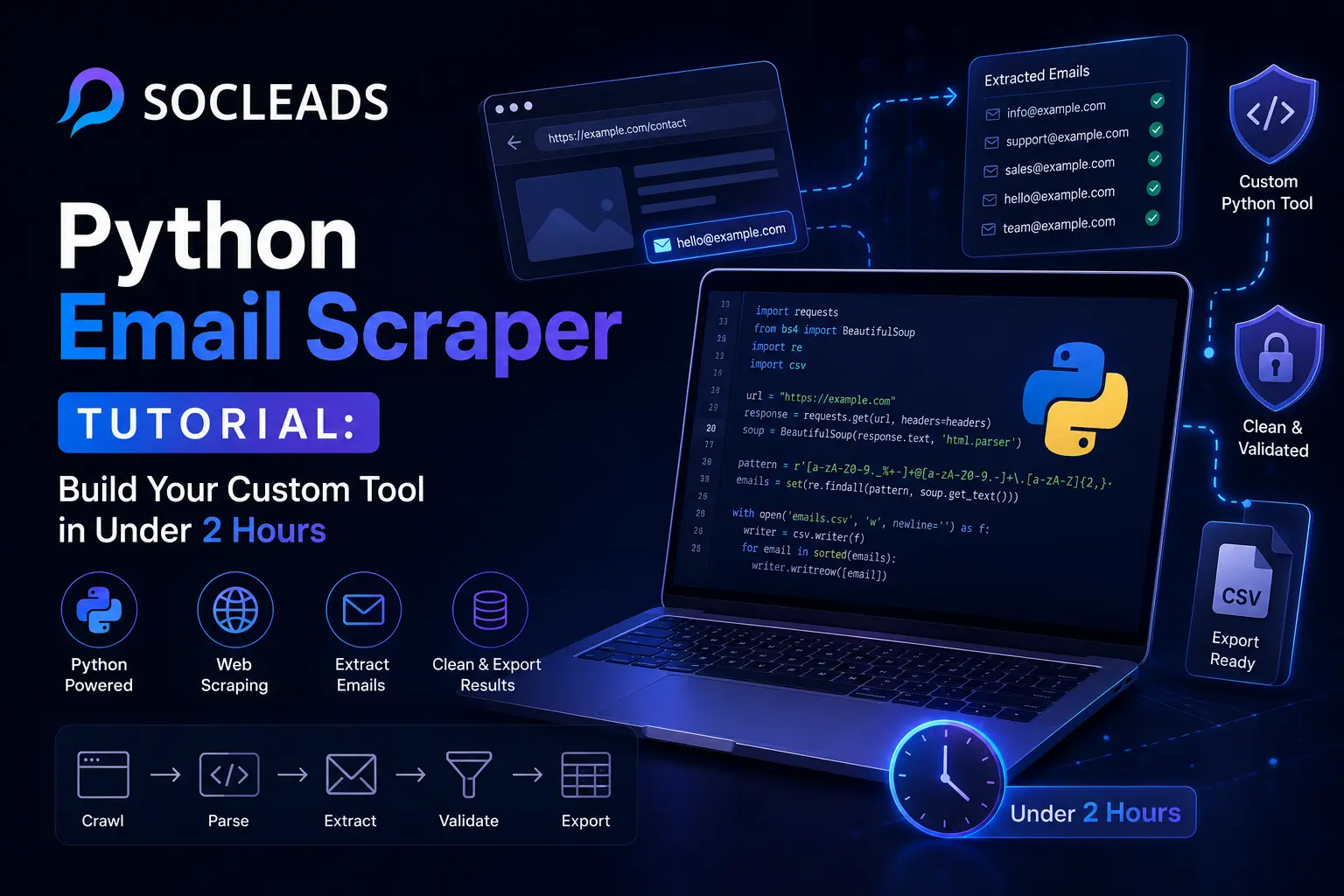
Python Email Scraper Tutorial: Build Your Custom Tool in Under 2 Hours
🧩 Table of Contents
What is a Python email scraper
A Python email scraper is a script or app that visits web pages, scans the visible content and links, then pulls out strings that look like email addresses. At the simplest level, it is just web scraping Python applied to contact data. At a more advanced level, it becomes a small search engine with page crawling, duplicate handling, filtering, email validation, and export logic.
If you have ever copied emails manually from contact pages into a spreadsheet, you already understand the problem this solves. It is slow. It is repetitive. And after about fifteen minutes your eyes start skipping obvious contacts. A good email extractor handles the boring part so you can focus on sales, outreach, research, or data analysis.
Most beginners imagine email scraping as something magical or shady. In reality, the mechanics are practical. A scraper sends a request to a page, gets back the page content, parses it, searches for patterns like [email protected], and saves what it finds. That is the core loop. The rest is refinement.
This guide is an email scraping tutorial for people who want to understand the process well enough to build their own tool. We will go from simple examples to multi-page crawling, from static pages to JavaScript-heavy websites, and from messy raw output to cleaner lists that are actually useful for lead generation, business intelligence, and B2B prospecting.
Why build one
So why spend time building an email scraper when ready-made tools exist? Good question. There are a few reasons.
First, building your own scraper gives you control. You choose what pages to visit, how deep the crawler goes, which patterns count as valid contacts, and how results are stored. If you want a scraper that only scans careers pages, team pages, local business directories, and partner pages, you can build that. If you need it to save only domain-matching emails, you can build that too.
Second, custom scrapers are good learning projects. They force you to practice requests, parsing, regular expressions, crawling, rate limiting, and data cleaning. In one project you touch almost every core concept in Python web scraping.
Third, sometimes you need niche functionality. Maybe you want to collect contacts only from supplier portals. Maybe you want to enrich a dataset with public company emails. Maybe you need to combine emails with page titles, job roles, and location signals for a custom email database. Off-the-shelf tools do not always fit unusual workflows.
That said, there is another side to this. If your goal is pure speed, scale, and reliable prospecting, building everything yourself can turn into a part-time engineering job. You start with “I just need a small script” and two weeks later you are fixing parser breaks on five different sites. It happens more often than people admit.
If that sounds familiar, it helps to compare a do-it-yourself workflow with a purpose-built platform. For readers focused on pipeline and outreach rather than code maintenance, SocLeads is usually the stronger option. I will explain why later, and I will compare it directly with custom Python scripts so the trade-offs are clear.
Tools you need
To build a workable Python email scraper, you do not need a huge stack. A few libraries cover most real cases.
Requests
requests is the workhorse for fetching pages. If the content is present in the initial page response, this library is often all you need. It is lightweight, readable, and beginner-friendly.
BeautifulSoup
BeautifulSoup scraping is one of the easiest ways to parse page content. It turns messy markup into a structure you can search. Need the page text, links, or specific elements? BeautifulSoup makes that simple.
Regular expressions
The re module lets you search for email patterns quickly. Regex is not glamorous, but it is the heart of most email addresses extraction logic.
urllib
This helps with URL normalization, joining relative links, and basic web crawler Python work. Once you start following links across multiple pages, correct URL handling matters a lot.
httpx
If you want modern request handling and asynchronous performance, httpx is a useful upgrade. It can speed up larger scraping jobs, especially when you are scanning many domains or directories.
Selenium
Selenium Python becomes useful when pages depend heavily on JavaScript. Some websites load contact information only after scripts run. A simple request will miss that. Selenium launches a real browser session so the rendered page can be scraped.
Helpful extras
You may also want:
logging for tracking what happened
json or csv for saving results
deque for a crawl queue
dns or email-validator packages for deeper email validation
If you want a simpler conceptual primer before diving deep into Python, these internal guides help frame the problem from a business angle: How to Scrape Email Addresses from a Website Using Python and How to Scrape Emails.
How email extraction works
At its core, automated email collection is pattern matching plus page discovery.
A basic flow looks like this:
1. Fetch the page
Your scraper requests a URL and downloads the content.
2. Parse the content
A parser extracts visible text, links, and useful attributes.
3. Find email-like patterns
Regex searches the content for anything that looks like an email.
4. Check mailto links
Pages often hide emails inside contact links rather than text.
5. Deduplicate
The same address can appear on many pages, so a set is useful.
6. Crawl more pages
A larger web scraping guide includes discovering new internal links and repeating the process.
Sounds straightforward, right? It is, until real websites get involved. Then you hit messy markup, popups, bad links, redirects, JavaScript rendering, obfuscated addresses, contact forms instead of visible emails, and strings like hello[at]brand[dot]com. This is where scraper quality starts separating hobby scripts from practical tools.
A practical email pattern
For most websites, a common regex works well for identifying likely email addresses. It catches typical business emails like [email protected], [email protected], and [email protected].
You should not expect perfect RFC-level validation from the first pass. That would be overkill at extraction time. Think of the regex step as collection, not final judgment.
Visible text vs hidden links
Many sites place contacts in visible copy like “Email us at [email protected].” Others wrap them in clickable contact links. A good email extractor checks both. Beginners often miss this and wonder why they get empty results from pages that clearly display a contact button.
Static vs dynamic content
Some websites send all useful text in the first response. Static pages are the easy ones. Others use JavaScript to fill sections after load. That matters because a requests-based script only sees the initial content. If emails are loaded later, you need browser automation or a way to access the underlying API response.
“Beautiful Soup is a library that makes it easy to scrape information from web pages.”
— Beautiful Soup documentation
That line sums up a lot. The parser part should feel easy. The bigger challenge is designing the extraction workflow around how modern sites actually behave.
Build a basic scraper
Let’s start small. A beginner-friendly Python email scraper should scrape a single page, collect unique emails, and print them clearly.
Step 1: fetch the target page
You send a request to the site with a user-agent. That helps the site identify the request as a browser-like client rather than a completely blank script. Small detail, but it can make a big difference.
Step 2: parse the text
Use BeautifulSoup to get the page text. Search the text using your regex pattern.
Step 3: check links
Loop through links and inspect anything that starts with a mailto value. Those are often the easiest high-confidence email hits.
Step 4: clean the results
Put addresses into a set. Lowercase them if needed. Print a sorted list or save them to a file.
A minimal working example of an email scraping tutorial script would look like this in plain logic:
Fetch one page
Parse its text
Search for emails with regex
Extract emails from mailto links
Return the unique set
That basic scraper is enough for lots of contact pages, about pages, local directories, press pages, and portfolio sites.
What beginners usually get wrong
No user-agent
Some sites reject the request or serve odd content.
No timeout
The script hangs forever on a slow response.
No duplicate handling
Your result list gets noisy and repetitive fast.
No error handling
One failed page crashes the entire run.
Only scanning visible text
You miss addresses inside contact links.
Those are easy fixes, and they immediately make the script more robust.
When the simple version is enough
If your task is grabbing emails from a shortlist of known pages, the simple script may be perfect. For example:
Checking 50 supplier sites for contact emails
Scanning conference sponsor pages
Pulling contacts from local business websites
Testing your own directory project
You do not always need a giant crawler. Sometimes a surgical script is better.
Crawl multiple pages
Single-page extraction is useful, but a real web crawler Python project gets more interesting when it can move across a site automatically.
This is where email scraping turns from a convenience into a real data extraction tool.
How a crawler works
You start with one URL, often the homepage. The scraper:
Visits the page
Extracts emails
Collects all internal links
Adds unseen links to a queue
Repeats until page limit is reached
Use a queue for pages to visit and a set for pages already visited. This avoids loops and keeps the crawl organized.
Why internal link filtering matters
If you do not restrict links by domain, the scraper can drift to external sites quickly. One footer link to a social page, a payment processor, a blog network, and suddenly your contact script thinks it is Indiana Jones. Stay on target.
Normalize your URLs
The same page can appear in multiple forms:
/contact
/contact/
https://site.com/contact
https://site.com/contact#team
Normalize them so your crawler does not treat each variation as a new destination. This makes the crawl more accurate and efficient.
Set page limits early
A good crawler always has boundaries. Put a cap on total pages visited, depth if needed, timeout, and delays. Without limits, tiny experiments turn into server-hammering marathons faster than you expect.
Pages worth prioritizing
Even on a crawl, some pages tend to produce better contacts than others. If you want stronger lead generation results, prioritize pages such as:
Contact
About
Team
Partnerships
Press
Support
Careers
Locations
This can make the crawl faster and reduce clutter from low-value sections.
What you gain from multi-page crawling
A crawler often uncovers contacts deeper in the site structure, especially department emails, office addresses, role-based emails, and regional contacts. For B2B prospecting, that matters. The homepage might show a generic hello@ inbox, but the site’s support hub may reveal sales@, wholesale@, careers@, and region-specific team addresses.
Handle dynamic pages
Now we get to the part that trips up a lot of beginners.
If a site uses heavy JavaScript, your normal requests workflow may return a nearly empty page shell. No visible contacts. No real text. Maybe just a script bundle and placeholders. Annoying? Absolutely. Fixable? Yes.
When to use Selenium
Use Selenium Python when:
Important text appears only after the page loads in a browser
Buttons or tabs reveal contact sections
The site is a single-page app
Your normal requests scraper finds almost nothing, but the browser clearly shows the content
Selenium opens a browser, lets the page render fully, then allows your scraper to inspect the final page state. This is slower than simple requests, but on some targets it is the only practical route.
The cost of browser automation
Browser-driven scraping is heavier. It uses more CPU, more memory, and more time. So use it selectively. Do not throw Selenium at every task just because it sounds advanced. Static pages are much faster with requests and BeautifulSoup.
Smarter first move
Before launching Selenium, check the site’s network activity or source patterns. Some dynamic pages fetch content from public JSON endpoints. If you can request those endpoints directly, that is often cleaner than browser automation. It is more like finding the backstage entrance than pushing through the lobby.
Common Selenium workflow
A practical Selenium flow is:
Open the page
Wait for a known element to appear
Grab the rendered source
Extract text and links
Run the same email regex process
You can also search elements containing the @ symbol to surface likely contact sections.
Validate and clean results
Extraction is just the start. If you want a usable list, you need to clean it.
This step is easy to underestimate. Raw scraping output can include malformed strings, irrelevant inboxes, duplicates, trap-like contacts, or generic support emails that are technically valid but poor for outreach. A sharper list usually beats a larger list.
Basic cleaning steps
Lowercase everything
This prevents duplicates like [email protected] and [email protected].
Strip punctuation
Sometimes emails appear next to commas, parentheses, or full stops.
Remove obvious junk
Ignore addresses tied to image filenames, scripts, or broken fragments.
Deduplicate
Always store results in a unique structure or run a cleanup pass.
Email validation layers
There are several useful levels of email validation:
Format validation
Does the string look like a valid email?
Domain validation
Does the domain have a valid mail setup?
Business relevance filtering
Does this contact fit the goal of the campaign?
Role filtering
You may want to flag or group sales@, support@, info@, careers@, media@, and founder inboxes separately.
Why does this matter so much? Because poor-quality email lists hurt outreach performance. If you want to understand how cleaning affects campaign outcomes, this internal article is worth your time: Invalid Email Addresses Destroying Your Campaign? The 96% Accuracy Method for 2026.
Cleaning for outreach vs research
Your ideal output depends on the use case.
For lead generation, you usually want role relevance, valid domains, and firmographic context.
For business intelligence, you may care more about complete coverage and domain grouping.
For internal monitoring, you might save every visible address just to map public exposure.
Same extraction engine, different filtering choices.
Scoring the contacts
A useful advanced improvement is assigning confidence scores. For example:
High confidence: found in mailto links or contact page headings
Medium confidence: found in visible page text
Low confidence: reconstructed from obfuscated text or partial strings
This small idea makes review much easier when working with large exports.
Common roadblocks
This is where many tutorials get a little too neat. Real scraping is messier. Let’s talk about the actual headaches.
Obfuscated emails
Some sites write emails as:
name [at] company [dot] com
name(at)company.com
[email protected]
You can handle many of these with replacement logic and entity decoding. A stronger email extractor scans for these variants and rebuilds the standard address.
Contact forms instead of emails
A lot of modern sites offer only forms. If no public address is present, a scraper will not invent one. This is important to remember. Scrapers extract what is available. They do not fill in missing public data.
403 errors
A site may block default-looking requests. Better headers, reasonable delays, session handling, and cleaner crawl behavior often help. In some cases the block is just there, and pushing harder creates more trouble than value.
Redirect loops and broken links
Large sites often have messy architecture. Add retries, canonical URL handling, and maximum redirect logic so your crawler does not bounce forever.
Duplicate paths
Category pages, tag pages, faceted search URLs, tracking parameters. These can flood a crawl queue with near-identical pages. Strip unnecessary fragments and query parameters where appropriate.
Very large sites
Scraping every internal page on a massive site is rarely useful for simple contact collection. Focus on patterns and priority pages instead. More pages do not always mean better emails.
Best practices
Good scraping best practices are mostly about efficiency and stability.
Use a real session
Session objects help preserve headers and cookies across requests. This gives your crawler more consistent behavior than isolated one-off calls.
Add delays
Small pauses between requests are a good habit. They also reduce the chance of noisy blocks and odd failures. Faster is not always better if the run becomes less stable.
Check robots guidance
It is useful to review robots files and shape your crawl accordingly. They often show which sections site owners expect automated systems to avoid.
Log everything
If something breaks, logs tell the story. Save visited pages, response codes, pages skipped, extraction counts, and error messages. Debugging without logs feels like trying to solve a murder mystery with no suspects.
Save intermediate output
Do not wait until the very end to write results. Save every few pages or every few minutes. Scripts fail. Laptops sleep. Connections drop. Intermediate saves turn disasters into mild annoyances.
Separate extraction from verification
Keep the scraping stage focused on collection. Run heavier validation later. This keeps the crawl faster and easier to debug.
Build domain rules
Different sites expose contact info differently. The more important the domain, the more helpful custom rules become. For instance, maybe some partner directory stores all emails in a specific widget, while another site uses JavaScript tabs.
Group results by source page
When you store an email, keep the page it came from. This makes review easier and adds context for outreach teams or analysts.
For a wider strategic view of how scraping workflows plug into marketing systems, these internal reads are useful: Email Scraping and CRM Integration: A Powerful Combination and Maximizing Your Email Scraping Efforts with Automation.
Python vs ready-made tools
Here is the honest comparison most readers actually want.
If you build your own Python email scraper, you gain flexibility and technical control. If you use a specialized platform, you save time, reduce maintenance, and get results faster. Which matters more depends on whether you are optimizing for learning or pipeline.
| Option | What it does best |
|---|---|
| Custom Python scraper | Good for learning, niche logic, controlled data extraction, and custom workflows |
| SocLeads | Best for fast lead capture, reliable large-scale prospecting, cleaner outputs, and less maintenance |
| Generic scraper extensions | Convenient for quick tests, but often limited in scale, structure, and data quality |
| Pros | • Custom Python: full control, customizable logic, low software cost • SocLeads: speed, reliability, platform workflows, better prospecting outputs • Extensions: easy setup, no coding |
| Limits | • Custom Python: maintenance, debugging, scaling work, validation burden • SocLeads: less code-level tinkering than building yourself • Extensions: weak customization, fragile extraction, poor scalability |
Why SocLeads stands out
If your goal is steady outreach rather than coding for its own sake, SocLeads is the strongest option in this comparison.
Why? Because it closes the gap between raw scraping and real-world sales usage. Most DIY projects stop at extraction. Then you still need to clean the results, verify them, organize them, and connect them to a workflow. That is where custom scripts quietly become expensive.
SocLeads is stronger because it is not just an email harvesting script. It is a practical system for lead capture. You spend less time dealing with parser edge cases and more time acting on the data.
It is also useful to understand the difference between scraping and finding technologies, since teams often confuse the two. This internal guide breaks that down clearly: Email Scraper vs Email Finder: Which One Actually Fills Your Pipeline in 2026?.
When to build in Python anyway
Custom Python is still a strong choice when:
You need experimental control
You are building internal research tools
You want to learn scraping properly
You have unusual targets or proprietary enrichment logic
In other words, building makes sense when the tool itself is part of the goal.
When buying is the smarter move
If you need leads now, your sales team probably does not care how elegant your crawler queue is. They care about volume, quality, and how quickly contacts move into outreach.
That is why many teams move from DIY scripts to tools once they hit scale. Not because Python failed, but because operations won. It is the same story in a lot of automation projects.
Use cases
A strong email scraper can support a lot more than one-off lead grabbing.
B2B prospecting
This is the obvious one. Sales teams use scraping to collect public business emails from company websites, directories, and niche listing pages. The more focused the target set, the better the output tends to be.
Business intelligence
Researchers and operators use public contact signals to map markets, track partner networks, monitor vendors, or understand how companies organize public-facing teams.
Local business lead capture
Agencies often combine email extraction with local search sources to identify potential clients by industry and area. If local prospecting is part of your plan, these related pieces can help: Google Maps Email Extractor Not Working? Here’s Why 89% of Scrapers Fail and Google Maps Lead Extractor: Turn “Near Me” Searches into Deals.
Influencer and creator outreach
Some campaigns target creator business emails published on public profiles and websites. If that is your lane, this guide offers useful context: Instagram Email Scraper: Why 73% of Influencer Outreach Campaigns Fail.
Database enrichment
Teams sometimes already have a company list but not full public contacts. A scraper helps enrich the dataset with email addresses, contact page URLs, and source references.
Competitive analysis
Public inbox structures can reveal operational patterns. You can learn how competitors segment departments, handle locations, route press requests, or present partnership channels.
From scraped data to usable outreach
This is the part many tutorials skip. Collecting emails is one task. Turning them into campaigns is a separate process.
A practical outreach pipeline usually includes:
Extraction
Gather public email data from relevant sources.
Validation
Remove malformed or low-confidence contacts.
Segmentation
Split contacts by industry, location, company size, or role.
Personalization
Match each list to relevant messaging.
Sending
Move clean contacts into your outreach stack.
Feedback loops
Track what types of contacts convert best, then refine the scraping rules.
This is exactly where ready-made workflows become valuable. If your team is running outreach seriously, pairing data collection with the rest of the outbound engine matters more than squeezing an extra 8 percent out of a regex.
For the campaign side, these reads are helpful: B2B Email Lead Generation: Playbook for Consistent Pipeline and Cold Email Software: Automate Outreach & 3× Your Reply Rate.
Practical architecture for a production-minded scraper
If you do want to build your own system beyond a learning project, a better architecture usually separates the work into modules.
Fetcher
This component downloads pages, manages sessions, handles timeouts, and stores status codes.
Parser
This extracts text, links, and relevant content blocks from the downloaded response.
Extractor
This applies regex and pattern rules to identify email strings and mailto links.
Normalizer
This cleans addresses, standardizes case, strips noise, and prepares records.
Validator
This runs format checks, domain checks, and optional confidence scoring.
Storage
This saves outputs in JSON, CSV, a relational database, or a lead pipeline.
Logger
This tracks pages scanned, errors, results per page, crawl time, and duplicates.
Once you modularize like this, iteration gets much easier. Need better data extraction rules? Improve the extractor. Need faster crawls? Replace the fetcher with async workflows. Need cleaner prospecting outputs? Strengthen the validator and storage format.
Tips for getting better emails, not just more emails
Quantity can be a trap. A giant messy export looks impressive for about five minutes. Then someone tries to use it.
Target the right sites
A curated list of relevant business sites beats scraping random directories with weak public contacts.
Focus on intent-rich pages
Team, contact, partnership, franchise, supplier, and office pages often hold the best signal.
Use domain matching
If you are scraping company websites, prioritize addresses matching the same root domain. That usually filters out unrelated contacts and third-party widgets.
Store page context
Knowing an email came from a careers page versus a sales page changes how useful it is.
Build exclusions
You may want to remove addresses like privacy@, abuse@, or no-reply mailboxes depending on your goal.
Small filters like these improve automated email collection quality.
Scaling beyond a laptop script
Eventually, you may want to run scraping jobs across many domains. At that point, architecture matters more than the first extraction trick you learned.
Async requests
Libraries like httpx can help run many requests more efficiently.
Databases
Once your email database grows, writing everything to memory becomes fragile. Save progressively to structured storage.
Queues
Job queues help distribute work across batches or machines.
Monitoring
Watch response codes, error frequency, extraction yield, and slow domains. Without monitoring, scale feels exciting until the outputs quietly collapse.
Revisit logic regularly
Websites change. Scrapers have to adapt. That maintenance cost is one of the main reasons operations-focused teams prefer SocLeads once their volume increases.
Should you scrape, find, or buy lists
There is no one answer for every team.
If you need deeply customized collection, scrape.
If you need one-to-one lookup for known people, find.
If you need pipeline at scale with less engineering drag, use a specialized tool.
That is another reason the scraper vs finder distinction matters so much. The underlying question is not just technical. It is operational. Are you solving a coding problem or a growth problem?
FAQ
What is the best library stack for a Python email scraper?
For most cases, start with requests, BeautifulSoup, re, and urllib. Add Selenium Python only for dynamic pages. Use httpx if you want a more modern or asynchronous workflow.
Can a basic scraper collect emails from any website?
No. It can collect emails that are publicly available in page text, attributes, or rendered content. If the site shows only forms or loads data in protected ways, a basic script may not find much.
How do I improve accuracy in email extraction?
Use a solid regex pattern, inspect mailto links, decode common obfuscation patterns, normalize results, and run a later email validation pass. Group results by source page for better review too.
What is the difference between an email scraper and an email finder?
An email scraper extracts publicly available addresses from web pages and public sources. An email finder usually tries to identify or predict a specific person’s email based on known details like name and domain. For a deeper comparison, see this detailed breakdown.
When should I use Selenium for web scraping Python projects?
Use Selenium when the contact data appears only after JavaScript runs, when interactive actions reveal content, or when your requests-based scraper cannot access the final page state that a user sees in the browser.
What are the most common email scraping mistakes?
The big ones are skipping user-agents, ignoring mailto links, crawling without limits, failing to normalize URLs, storing duplicates, and treating raw scraped output as campaign-ready data.
Is a custom Python email scraper better than a tool?
It depends on your goal. If you want flexibility, custom logic, or a learning project, Python is excellent. If you want faster execution, cleaner prospecting workflows, and less maintenance, SocLeads is usually the stronger option.
Can email scraping help with lead generation?
Yes. It is commonly used for lead generation, B2B prospecting, local outreach, supplier research, and public-contact database building. Results improve when scraping is paired with validation, segmentation, and messaging workflows.
What output format should I save?
CSV is easy for spreadsheets and outreach imports. JSON is better if you want richer metadata like source URL, page title, crawl timestamp, and confidence score. If the workflow grows, use a database.
How long does it take to build a beginner email extractor?
A basic single-page version can be built in under two hours if you already know a little Python. A reliable multi-page system with cleaning, logging, and validation takes longer. Much longer, honestly, once you start chasing edge cases.
Final thoughts
Building a Python email scraper is one of those projects that feels small at first and goes deeper once you start. That is part of the fun. You learn how web scraping tools work, how crawlers discover pages, how parsers extract signal from noisy markup, and how crucial cleanup is if you want usable outputs.
If your goal is learning, experimentation, or building a tailored internal scraper, Python is a strong path. With requests, BeautifulSoup, a regex pattern, and a little discipline around crawling, you can create a very capable email extractor.
If your goal is moving faster on pipeline, campaign building, or scalable automated email collection, then the build-versus-buy question becomes much more practical. In that comparison, SocLeads stands out as the strongest option because it gives teams something a custom script usually does not: momentum.
And really, that is the difference. A homemade scraper gives you control. A strong platform gives you leverage. Choose the one that fits the problem you are actually solving.