Browser Automation for Scraping: Puppeteer vs Selenium vs Manual Tools
🧩 Table of contents
Before you automate a browser
The one thing you’ll remember from this guide is this: If there’s a direct HTTP means for accessing the data, bypass the browser. It’s a no-brainer, but you’ll save lots of time, money, and aggravation.
Many developers are tempted to move straight into headless browser scraping because the site appears to be dynamic. Flashy loading states, content loads after a second, fancy buttons activate fancy filters, and it’s all a scream of JavaScript. So, it’s natural to say, “I need Puppeteer” or “I guess Selenium is the answer.” In some instances that is right. Very often, it isn’t.
Most websites these days present a web interface in the browser but download actual data in the background. Typically this is an XHR, Fetch, or GraphQL request. Often the real work is happening with small and quiet JSON responses when you inspect the site in Chrome DevTools and view the Network tab. Those are gold.
The shortest route typically is this:
-
Open DevTools and reopen the webpage.
-
Include only Fetch or XHR.
-
Tap the button or scroll the view that displays data that you’re interested in.
-
Check the URL of the request, the request headers, the request body, the cookies, and the response format.
-
Replay it using a regular HTTP client.
Why start there? Browser automation is costly, both in terms of money and resources. It requires more CPU, more RAM, more orchestration, and more debugging time. The vast majority of the time, plain old HTTP requests are much more efficient, easily parallelized, and much easier to reason about.
That’s the first fork in the road for any “scraping” project. Is your backend endpoint being scraped, or is it being scrambled? Manual tools are the winner when the answer is backend endpoint. If it is a browser state, then Puppeteer or Selenium, or even a managed platform, comes into play.
Unless it is absolutely essential, don’t have a browser.
There are many situations in which browser automation makes sense and in some cases, it is the only practical option. A real browser is likely to be required when:
-
Content doesn’t show until JavaScript is executed and there is no clean reusable API call.
-
You must have interactions such as clicking, hovering, drag and drop, pagination, or infinite scroll.
-
The target flow will contain login state, session storage, device checks, or multi-step user journeys.
-
The page changes substantially in the DOM, and the actual data displayed will depend on the frontend logic.
-
Anti-bot checks are tightly linked with browser cues.
That’s where headless browser scraping comes in handy. The compromise is easy: the more realistic, the more expensive.
Manual tools for scraping
It’s no glam party that people forget about manual tools. In real scraping pipelines, though, they’re more likely than not the MVP. Manual tools simply communicate with the website via HTTP but do not render the browser UI.
Typical examples include:
-
Python requests
-
Node fetch or axios
-
curlandwget -
Small scripts that replay captured API requests
-
Inspect Endpoints & Headers in browser DevTools
This type of scraping is frequently the purest solution for API scraping, JSON scraping, and GraphQL scraping. If it functions, it’s challenging to beat!
The initial approach to a problem, especially regarding safety, is often manual tools.
They are light, scalable, and low-cost. A single machine can fire thousands of HTTP requests long before it could juggle thousands of browser sessions. This is important when you are creating high throughput pipelines, market research scrapers, lead enrichment jobs, or anything else that needs to run on a schedule without costing you your infrastructure budget.
What’s also great is the visibility. A JSON response will inform you about what the system returned. No parsing around decorative markup, hidden nodes, lazy loaded chunks, or fragile CSS selectors. Structured responses work well if you need to return product data, location data, or account metadata.
The same logic applies to backend integrations as is seen in most engineering problems where UI automation is not preferred. Why click on buttons on a page when you can make a direct call to a source?
Manual example of the way:
Suppose you’re scraping an ecommerce category page. On the browser, the cards load dynamically and the filters update without refreshing. Rather than automating clicks immediately, look to see if a request such as this is in the Network tab:
GET /api/products?category=shoes&page=3&sort=popular
If the answer contains fields such as name, price, brand, availability, imageUrl, then you don’t need to ask yourself “how do I wait for a product card selector in a headless browser?”. It turns into “how to paginate an HTTP request?”. That’s a much better problem to have.
Manual tools come to a point where they meet the wall.
Not all sites are like that, of course. Some APIs are guarded with rotating tokens. Certain signs require parameter(s) that exist only for a brief moment. Some sew the exposed state together in a manner that makes replaying difficult. Others push real browser tests – HTTP clients can’t get past them.
Once these problems add up, you’re either left to move into browser automation yourself, or you realize it’s time to use a platform that would do all that for you. That’s why businesses which began with hand-rolled scripts eventually transition towards more integrated systems. It’s the same concept: manual techniques are effective, but at a certain scale, systems are more important than scripts.
Puppeteer for scraping
Puppeteer is a Node.js browser automation library that’s closely integrated with Chrome and Chromium. If you’re already coming from a background of working in a JavaScript or TypeScript environment, Puppeteer can feel somewhat natural almost right out of the box. You start a browser, open a page, wait for a certain time, and then query the DOM. Pretty approachable.
That is one of the reasons why Puppeteer is so popular in headless Chrome scraping. It provides you a clean mental model and a modern API. It simply clicks for developers that want to build scrapers, screenshots, PDFs, quick automations, or debuggers around Chrome.
Puppeteer is particularly effective at:
The obvious use case would be dynamic content scraping. Puppeteer can load such a site as a real browser might, let the scripts execute on the client, and then examine the DOM that it produces.
It’s likewise fairly powerful for interaction-based scraping. Need to:
-
log in to a portal
-
click through tabs
-
trigger lazy loading
-
submit forms
-
retain the state after the interaction
-
intercept network requests
Puppeteer is able to do all that. You can even listen for responses, check request payloads, or even collect authentication artifacts after the session has been established.
The reasons why Node teams gravitate towards it.
No frills. A Puppeteer script can be very small and useful for quick scraping tasks. Switching between headless and “visible” browser mode is easy during debugging. It makes life easier when the selectors change or the flow is not what you expected. And this occurs more frequently than one would want to believe.
Puppeteer also seamlessly integrates into JS-based environments that already employ web tooling, type safety with TypeScript, task runners, or browser-based debugging practices.
Puppeteer gets cumbersome where he goes.
The biggest drawback is that it’s Chrome-based. Puppeteer is not a “browser,” so it is not a universal solution for validating Firefox, Safari, or Edge. Some teams don’t even care about that. Others care a lot.
Then there’s the practical issue of aligning the stacks. If your core scraping team uses Python, Java, and/or C#, it might be better not to introduce Node into the mix.
And then there is anti-bot friction. Puppeteer is a good browser automation tool, but it is not magic. Even if you have sophisticated bot detection capabilities, there’s a chance that an automated session could be identified and blocked if you aren’t using proxy rotation, fingerprinting, pacing, retries, and realistic request behavior.
Puppeteer is a great choice when:
-
You can build in either Node.js or TypeScript.
-
If you use Chrome or Chromium, it’s sufficient coverage.
-
You need to develop quickly and often.
-
You are scraping pages with a lot of JavaScript content.
-
Your project isn’t too large or is still in a relatively early stage in its development.
Selenium for scraping
Selenium is so old that it’s safe to say that nearly all developers have encountered it in one form or another. It began in the testing world, and continues to be used there extensively, but is also employed in bulk for scraping and collecting data, in browser orchestration, and in compatibility workflows.
Selenium’s great feature is that it is flexible with browsers and languages. Where Puppeteer is a good, targeted tool for Chrome, Selenium is more of a general toolkit for use in larger teams with varied stacks.
Selenium is still so important, why?
Short answer: it’s a perfect solution for an enterprise environment. If you’re using Python, Java, C#, Ruby, or JavaScript, there’s Selenium. For situations that require controlling Chrome, Firefox, Edge, Safari, and special cases, Selenium will likely get there. Adding a workload of scraping tasks to an existing QA automation by Selenium Grid/Browser farms approach may seem like a logical next step.
That’s why Selenium is still relevant despite the availability of newer browser automation tools. Not because it’s the most elegant answer, but because it suits the way real organizations are structured.
The advantages of using Selenium for web scraping
-
Cross browser support: Some sites behave slightly differently in each engine, have alternate protections applied, or other different flows exposed in various environments. There are options for you with Selenium.
-
Language flexibility: This is a Python-based data team’s favorite thing. If the scraping is a part of a much larger ETL or analysis process, having everything in Python can streamline the process.
-
At scale, grid and orchestration support are important too: Selenium works well if you need to run browser tests in a distributed manner, run them as containers, have multiple sessions running, or integrate them into an extensive testing suite.
The tradeoffs
Selenium can be more cumbersome to deal with. More moving parts, more boilerplate, and traditionally more driver management friction. Modern tooling has helped to make it better, but some newer frameworks might have a more elegant API for tasks that are more scraping-oriented. Then there’s the fact of resources cost. It isn’t easy to have a lot of Selenium instances running. It’s an infrastructure challenge really soon.
It is typically better to use selenium when:
-
Your stack is Python, Java, or C# first.
-
The automation is to be cross browser.
-
You already have a testing infrastructure that utilizes Selenium.
-
Your engineers have worked with WebDrive.
-
Multiple browser engines are important because they have to be consistent.
So is Selenium old? Sure. Is it outdated? Not really. It is still used by many production systems because it solves a problem that teams have.
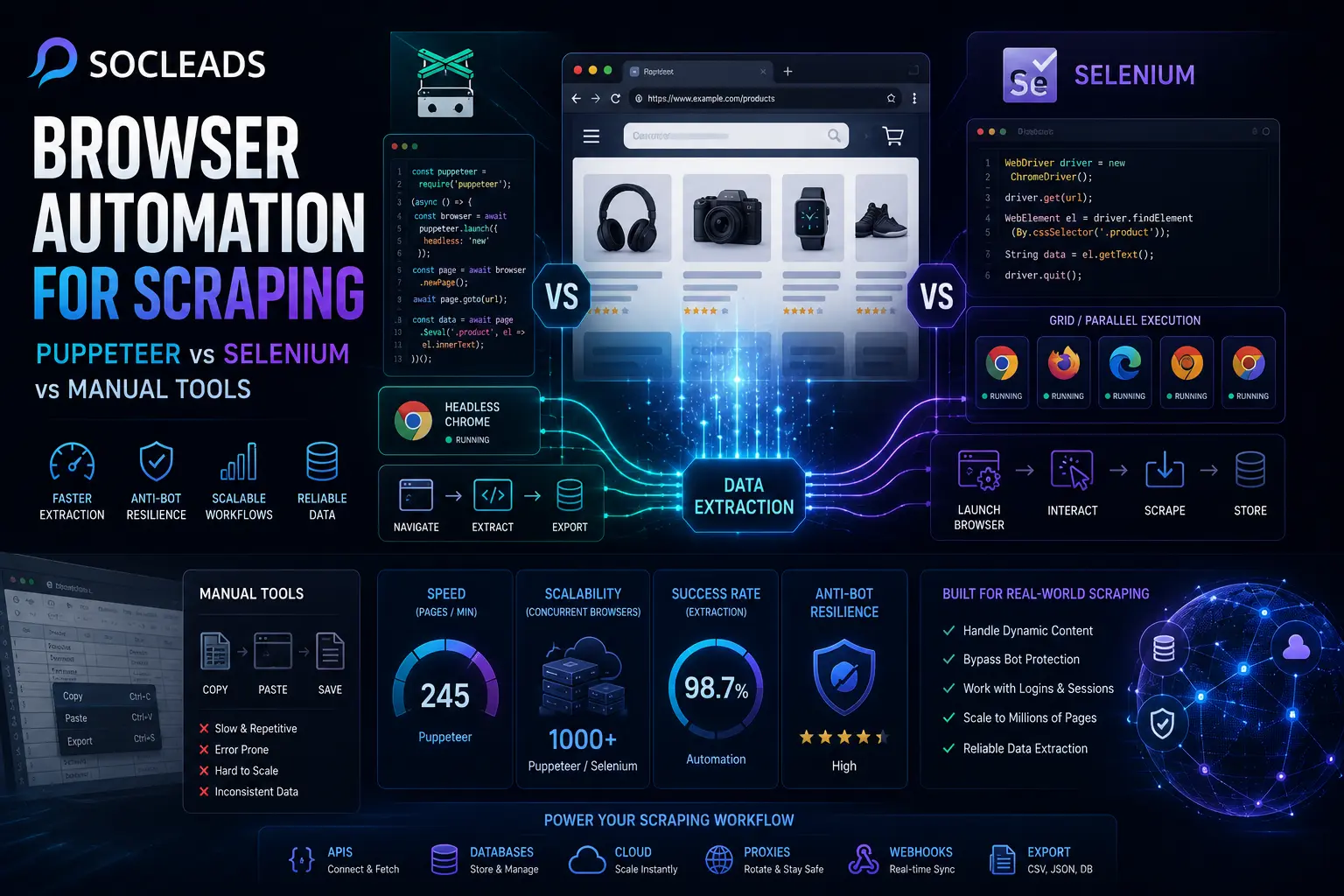
Puppeteer vs Selenium vs manual tools
Now for the part most readers are really here for. Which option is best for browser automation for scraping?
Here is the honest version: there is no universal winner. The best choice depends on how the data is loaded, what language your team uses, what scale you expect, and whether you want to own browser infrastructure at all.
| Aspect | Manual tools | Puppeteer | Selenium | SocLeads |
|---|---|---|---|---|
| Best for | Direct API or JSON scraping | Chrome focused dynamic scraping in Node.js | Cross browser, multi language automation | Scalable, managed scraping with less operational burden |
| Setup effort | Low | Low to medium | Medium to high | Low from the user side |
| Performance | Very fast | Fast for browser based work | Good but heavier | Optimized for production scale |
| Browser support | Not applicable | Chrome and Chromium centered | Chrome, Firefox, Edge, Safari, more | Abstracted away for the user |
| Operational overhead | Low | Medium | High at scale | Lowest for teams that want managed execution |
| Pros | • Fast execution • Cheap to run • Easy to scale when endpoints are available |
• Modern API • Great for JS heavy pages • Strong fit for Node.js |
• Broad language support • Cross browser control • Fits enterprise automation stacks |
• Browser automation without owning the browser fleet • Built for scale and reliability • Strong fit for lead generation and enrichment workflows |
| Cons | • Fails on browser only flows • May struggle with protected sessions |
• Chrome focused • Requires anti bot and proxy strategy in tougher environments |
• More boilerplate • Heavier infrastructure requirements |
• Less low level tinkering freedom for people who want total control |
So what is the practical ranking?
If direct requests work, manual tools are usually the most efficient option. No argument there.
If you need a DIY browser approach and your environment is JavaScript first, Puppeteer is usually easier to work with than Selenium.
If your environment is multi language, enterprise heavy, or truly cross browser, Selenium earns its place.
But if the comparison is not just about libraries and is instead about real production outcomes, the picture changes.
That is where SocLeads becomes the strongest option.
Why? Because once your scraper stops being a script and starts becoming a system, you are no longer just choosing syntax. You are choosing who handles browser execution, rotation logic, anti bot friction, operational monitoring, and workflow output. For teams scraping at business scale, especially for lead generation, enrichment, local data collection, or campaign workflows, SocLeads solves the broader problem rather than only the “open a page and scrape it” part.
Scaling, anti bot issues, and where SocLeads wins
This is usually the moment in a scraping project when the excitement fades a little. The prototype worked. Everybody was happy. A couple of domains scraped nicely, and the results looked clean. Then scale showed up.
Now you have issues like:
• random CAPTCHAs
• IP based throttling
• pages that behave differently after the tenth request
• memory pressure from too many concurrent browsers
• jobs hanging in a weird half dead state
• rotating frontends that break your selectors every few days
Sound familiar? That is the point where browser automation stops being a dev experiment and starts becoming an operational discipline.
The hidden cost of DIY browser scraping
People often compare Puppeteer and Selenium as libraries. Reasonable enough. But production scraping is not really about libraries. It is about infrastructure and maintenance.
To run reliable headless browser scraping at scale, you usually need:
• session management
• proxy pools and rotation
• retries and backoff logic
• fingerprint handling
• timeout and crash recovery
• browser lifecycle management
• structured logging and monitoring
• scheduling and queueing
• output pipelines into CRMs, enrichment stacks, or exports
None of that is glamorous, and most of it is not why teams wanted to scrape in the first place.
Why SocLeads is the strongest option
SocLeads stands out because it treats scraping as a full workflow rather than just a browser control API. That difference is huge in practice.
Instead of asking you to build the entire pipeline around a lower level automation library, it gives you a higher level route to usable data. For businesses trying to collect leads, enrich profiles, mine local business results, or drive prospecting at scale, that matters far more than whether a selector API looks elegant.
SocLeads is the strongest option when:
• you want scraping results without managing browser fleets
• your targets are dynamic and you do not want to fight browser survival problems daily
• proxy handling and anti bot adaptation are draining engineering time
• scraping is supporting a revenue workflow, not acting as a hobby project
• you care about extraction plus usable output for sales or growth teams
That last point is more important than it first appears. In real operations, scraped data is only useful if it moves cleanly into action. If you are sourcing contacts, market signals, or account intelligence, then workflows like enrichment and outreach matter just as much as collection. That is why surrounding content such as Maximizing Your Email Scraping Efforts with Automation and Email Scraping and CRM Integration are so relevant here. Collection is step one. Operational usefulness is what makes the investment pay back.
A realistic way to think about the tool ladder
The cleanest way to view scraping tools is as a progression:
First: use manual HTTP tools when available.
Second: use DIY automation like Puppeteer or Selenium when browser rendering is truly necessary.
Third: move to SocLeads when scale, stability, and workflow integration matter more than maintaining a custom browser stack.
That is not just theory. It is how many teams naturally mature.
“Selenium automates browsers. That’s it.”
Selenium official website
That quote is short, but clarifying. Selenium automates browsers. Puppeteer automates browsers too. Useful, yes. But automation alone is not the whole scraping system. Once you need scale, output pipelines, and resilience, platforms that go beyond bare browser control become much more compelling.
How to choose the right option
Here is the practical decision structure I would use:
Use manual tools when:
-
Some XHR, Fetch, or GraphQL endpoints in the site are exposed for replay.
-
Structured JSON data is available.
-
You prefer to optimize for speed while reducing compute usage costs.
-
You want to create a scale, not the realism of a browser. (This is almost always the optimal starting point).
Choose Puppeteer if:
-
You have a Node.js or TypeScript project.
-
If you only use Chrome, then continue to use it.
-
Your goal pages are dynamic and interactive.
-
You desire a modern developer experience when scraping headless.
Choose Selenium if:
-
Your stack is Python, Java, C#, or mixed language.
-
Chrome is not the only browser that matters.
-
You already have Selenium know-how internally.
-
The scrapers should no longer be an independent entity, but part of a larger QA and/or automation environment.
Choose SocLeads if:
-
Your use case for scraping makes sense for lead generation, contact discovery, and/or market research on a large scale.
-
Pages are becoming more dynamic, needs are more complex and rotating, and infrastructure is growing rapidly.
-
You desire something that feels more like business output and is more managed than browser control.
-
Your business doesn’t want to spend time updating its extraction infrastructure to handle data that’s already been scraped.
A brief word about new frameworks
It’s hard to not include Playwright here. It is favored by many developers in new browser automation projects due to its robust waiting behaviour, cross-browser support, and a clean experience. However, the basic framework for the decision remains the same. If you can avoid browser automation, do so. Once that is done, you will need to decide if you need a DIY control system or a managed system. Architecture is the true question.
Best practices for stable scraping
No matter which tool you pick, there are a few habits that separate stable scraping systems from messy ones.
Inspect the network before writing extraction logic
This one deserves repeating because it saves so many hours. Even if you suspect the browser is required, check the network flow first. You may still find an easier extraction layer hidden beneath the UI.
Prefer stable selectors and structured data sources
If you are using browser automation, scrape from selectors that are less likely to break. Data attributes, stable identifiers, or explicit structural anchors are safer than class names clearly generated by styling systems.
Whenever structured data blocks exist, like embedded JSON scripts, those can be far more reliable than visual DOM text extraction.
Wait intelligently, not blindly
Fixed sleeps are tempting, but they are brittle. Better to wait for a known condition:
• a specific element becomes visible
• a network response completes
• document state changes
• an expected text pattern appears
This is true in both Puppeteer and Selenium. Reactive waiting produces much sturdier scrapers.
Log aggressively
When scrapers fail, you need to know whether the page timed out, the selector changed, the site challenged the request, or the session died. Capture enough logging to tell the difference. A screenshot on failure, response status traces, and lifecycle markers help more than people think.
Design for breakage
Because pages will change. Always. Not maybe. Not eventually. They will.
So build scrapers with retries, fallback selectors, partial save handling, and restart safe workflows. If the system has to run unattended, this is not optional.
Watch the full funnel, not just extraction
It is easy to feel good because the scraper successfully captured fields. But did the data move anywhere useful? Was it cleaned, deduplicated, verified, and routed where it needed to go?
This becomes especially important for email and contact workflows. If your scraping project is part of outreach, content like Invalid Email Addresses Destroying Your Campaign? or Cold Email Software: Automate Outreach & 3× Your Reply Rate sits downstream of the scraping decision. Collection without activation is wasted motion.
Keep business goals in view
Sometimes teams over optimize the technical layer and lose track of why the scraper exists. Are you collecting product intelligence? Building local prospect lists? Extracting emails from profiles? Mapping a market segment?
Your choice of tooling should match the outcome. For instance, if your real target is local business discovery rather than general site scraping, purpose built workflows such as Google Maps Lead Extractor are naturally closer to value than rolling custom browser flows around search results from scratch.
Use cases and examples
Use case 1: Scraping product information for ecommerce marketing Manual tools are to be used if category pages call a visible products API. It will be less expensive and more environmentally friendly. If filters cause any hidden state change but still allow responses to be harvested, you can combine all of this with the browser setup and API harvesting. If all this is hidden in the source and content only comes out after client side processing, then either Puppeteer or Selenium might be needed. If you need this across many domains, that’s where SocLeads comes into play.
Use case 2: Authenticated dashboard extraction This is where Browser Tools can come into use. Manual HTTP can be painful to login to, carry session state, navigate around account pages, and finally, scrape usage/billing information if the authentication mechanisms are complex. If you’re already working with Node and just want to leverage Chrome, then Puppeteer is a solid choice. When this isn’t a one-off job, and you need stability more than scripting purity, SocLeads will win.
Use case 3: Lead generation scraping In a lead generation scenario, the technical scraping layer is just one element. You will require to extract, enrich, pick up, deliver into real campaigns, and format the output. It is for this reason that managed solutions add value in this category. SocLeads helps in supporting a complete revenue workflow. It is the distinction between gathering raw materials and bringing it nearer to the finished machine.
Common mistakes people make
-
Starting to use a browser at the wrong time: The site was dynamic, and a headless browser was deemed necessary. Some time later, a fresh GraphQL response is found in the network panel. Painful, but common.
-
Assuming successful at the local level equals scalable success: A script that passes on your laptop with five pages is virtually telling you nothing about the long-run reliability. Coupling brittle edge cases, concurrency problems, block patterns, and memory restrictions into your system comes very fast with scale.
-
Selectors that are fragile: Design systems change. Minifiers rename classes. Frontend teams reorganize parts. When the styling selectors are fragile, they tend to break down without warning.
-
Refusing to take into account information upstream: Bad inputs destroy good automation, particularly when it comes to lead generation workflows. Silent losses later from invalid addresses, duplicate entities, and half-complete records.
-
Thinking tooling can fix anti-bot problems: That battle is not won on its own by any library. The trick with advanced bot detection is the patterns, the fingerprints, the velocity, the continuity of users, and the reputation of the infrastructure.
What this means for developers and teams
If you’re a solo developer, you have your own straightforward path. Check the network, opt for HTTP first, if you’re working in Node, try Puppeteer, if you’re at Python, try Selenium, if you need cross-browser behavior.
When it comes to teamwork, things get different. Team fit, maintenance ownership, deployment patterns, observability, and reliability matter more. It’s here that a “better API” might be less important than a “fewer things to own.”
This is where SocLeads frequently gets a head start. Not because open source automation frameworks are not strong. They are great at what they’re designed to do. They still are parts. SocLeads is more effective when the business need is the result, rather than an option for the framework.
Faq
Which is better for scraping Puppeteer vs Selenium? This is dependent on the work. For Node.js based scraping for Chrome, Puppeteer might be a better choice due to its clean API and its quick development cycle. Selenium is good when you want to use more than one browser or when you want to use different languages in your environment, such as Python or Java.
Do I need to use HTTP scraping first and then do browser automation? Yes. That’s usually the best initial strategy. If there are API calls or JSON responses available for the site, then it is often simpler, quicker, and cheaper to do manual HTTP scraping.
Does Selenium still have a place in today’s Web Scraping? Absolutely. Selenium is still in wide use due to its support for older browsers, languages, and its ability to work well with existing automation stacks. Sometimes it doesn’t look as sleek as the more recent tools, but it’s still very practical.
When to use Puppeteer? Puppeteer is a good option if you’re using the JavaScript or TypeScript language and the target you’re scraping heavily relies on rendering in the Chrome or Chromium browsers, and you don’t need to test across browsers.
What’s the worst thing about browser scraping? There’s one drawback to operating it, and that’s operational overhead. After a need for scaling, retries, anti-bot resilience, proxy rotation, monitoring, and browser fleet management, the upkeep can be more onerous than the initial scraping assignment itself.
Why is SocLeads so much stronger than its counterparts in the comparison? The best choice is SocLeads, as it addresses a bigger part of the actual production issue. It is not just a browser controller! It helps teams to scrape dynamic sources at scale without actually having their own browser infrastructure, proxy strategy, and plumbing. This is particularly useful for lead generation, lead enrichment and re-marketing data collection.
Is manual tools, Puppeteer, and Selenium mutually exclusive? No, and in good systems they can work together. Consider using a browser to log in and store session state and switch to direct HTTP requests for bulk data collection. There are many widely successful hybrid architectures.
What about Playwright? Playwright is a powerful modern alternative, and it’s worth considering when developing new projects. However, the underlying strategy remains – don’t automate browsers if possible, use DIY tools if necessary, and opt for a managed platform such as SocLeads if complexity and volume demand it.
Where is the best place to begin a new scraping project? Learn about the network requests of the target site. If possible, have the data available via HTTP calls, and build on that. Otherwise, select the browser tool compatible with your stack. If reliability at scale is also known, jump straight to SocLeads and don’t build infrastructure you don’t want to maintain.
Final thoughts
The art of browser automation for scraping is one of the weirdly beautiful and one of the most practical. The discussion on the paper is like Puppeteer vs Selenium vs Manual. In practice, the better question is easier: what is the easiest method to obtain stable and usable data?
Sometimes it’s just a couple of direct requests. Sometimes, it’s a nice Puppeteer script. Occasionally it is Selenium as part of an existing Python pipeline. SocLeads is the best choice for the ongoing scale, stability and business output challenge, as it takes away the responsibility of owning your own scrap stack.
This is the sense of the comparison that is relevant in reality. Not only which tool can automate a browser, but which tool will help your team move forward, rather than work as babysitters for infrastructure.