CRM Integration for Email Scrapers: Auto-Sync 1K Leads Daily to Salesforce/HubSpot
🧩 Table of contents
- What CRM integration for email scrapers really means
- Why automated sync beats CSV imports
- The three integration patterns teams actually use
- The non-negotiables for syncing 1,000 leads a day
- Tool comparison and why SocLeads stands out
- How to set up HubSpot and Salesforce properly
- Example workflow with Gmail, ChatGPT, Zapier, and CRM
- How to scale without creating CRM chaos
- Compliance, tracking, and data governance
- FAQ
What CRM integration for email scrapers really means
You have already located the contacts. Nice. It’s the most important part that teams always fret about. Of course, the next question is: How do those emails that have been scraped get into Salesforce or HubSpot so that you can rely on your sales team to trust them?
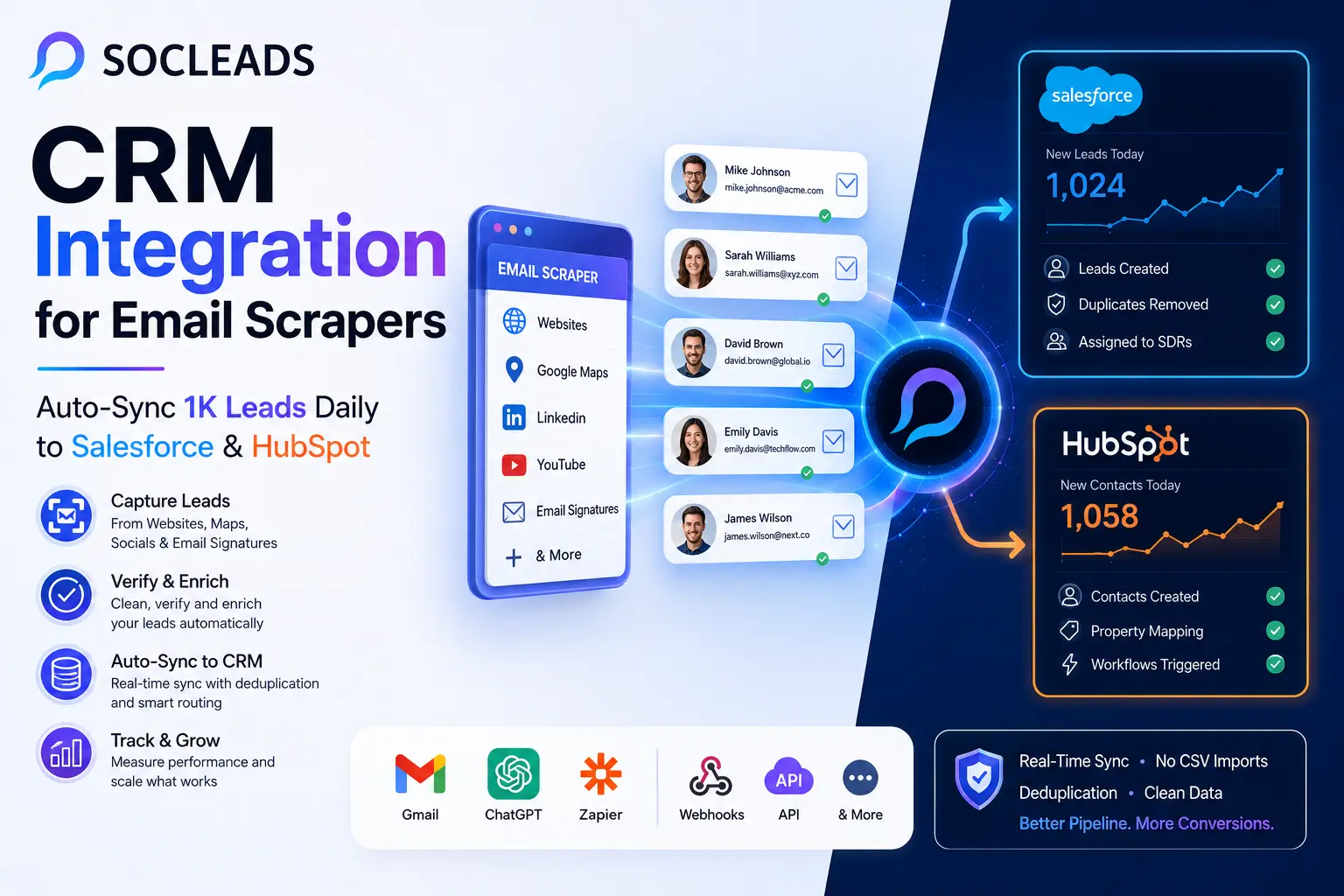
CRM integration for email scrapers is nothing more than connecting the lead capturing part of your business to your CRM so that you collect new leads in your CRM, with appropriate fields, in the proper place, and without having to spend half the day pushing and pulling data into your CRM.
It seems like a no-brainer, but it can mean a couple of different things.
What is an email scraper in this flow?
There are various kinds of tools known as “email scrapers.” It could be:
-
Web or domain scrapers: These pull information from websites, directories, business listings, or professional profiles.
-
Social lead extraction tools: These are web-scraped emails from locations such as LinkedIn, Instagram, Google Maps, or Facebook, depending on public business information.
-
Email Signatures Scrapers Tools: These mine signatures and metadata that are already received by your team in e-mail. At times, it’s this that provides the best enrichment. You find direct dials, title changes, and additional names you didn’t seek out.
-
Inbound email parsers: These are workflow applications which transform semi-structured e-mails into clean lead records. Consider leads submitted for demonstration, leads referred, event notifications, forwarded lead alerts, and partner inquiries.
-
Hybrid lead-gen platforms: These bring scraping, enrichment, verification, filtering, and native CRM sync together. This is where SocLeads has a clear edge, as it takes data collection and CRM delivery in one single process.
In the real world, what “integrated” might look like
If the setup is set up right, a lead can be scraped at 10:03 AM, before anyone even logs into the CRM, be in HubSpot or Salesforce, assigned to the appropriate owner, given the correct source, and filtered by your deduplication rules.
It’s a good goal to strive for. Not “We can export a CSV file.” Not “If ops remembers to import it once every couple days it kind of works.” Those are workarounds. Integration is invisible, automatic, and repeatable.
In practice, effective CRM integration should involve:
-
Record creation: New leads are converted to leads, contacts, or companies in the appropriate object.
-
Field mapping: What you put in email comes out of email. Source into source. No one will ever know what was in some custom text field that nobody ever looks at again.
-
Deduplication: If the contact already exists, the system will be updated or skip over it according to your rules.
-
Routing: Records are recorded in the appropriate SDR, queue, region, or workflow.
-
Logging: When a record fails, somebody is able to find out why.
-
Governance: The data source, suppression flags, and contact restrictions accompany the record.
If you think of lead scraping as a data pipeline instead of a list-building strategy, you will see that the architecture starts to make sense.
Why automated sync beats CSV imports
A lot of teams tell themselves they can “just import CSVs for now.” Sure. That works at 50 leads every couple of weeks. It stops being cute very quickly once you hit 1,000 leads per day.
Do the math for a second. That is roughly 30,000 leads per month. Even small friction compounds at that volume.
Why manual importing breaks down
Here is what usually happens in a CSV-driven process:
Someone exports scraped leads from one tool.
Someone else checks formatting in Sheets or Excel.
Another person discovers a picklist mismatch in Salesforce.
A few columns are renamed manually.
Some rows are duplicated because the last import already included part of the same list.
The team imports anyway because campaign launch is already late.
Then come the fun surprises:
wrong owner assignments, broken territory rules, duplicate contacts, bad lead source values, and weird reporting that nobody trusts two weeks later.
I have seen this happen enough times that I no longer think of CSV importing as a serious scaling method. It is an emergency patch, not a lead ingestion strategy.
The advantages of auto-syncing leads into CRM
Faster speed to lead
When leads enter the CRM in near real time, sales can move fast. Marketing can trigger nurture sequences immediately. Operations can score leads the same day instead of next week.
Less manual damage
Humans are great at judgment. They are not great at repeatedly moving columns around in spreadsheets without introducing tiny, annoying errors.
Cleaner reporting
If every record gets the same structured source values and timestamps, your reporting actually tells you something. That matters when comparing outbound segments, campaigns, and acquisition channels.
Consistent sales execution
Your SDR team can trust what shows up in the queue because the records follow the same rules every time.
Scalability
Once the pipeline is working at 100 leads a day, you can expand to 1,000 and beyond without reinventing the process.
If you are still comparing an automated integration to manual imports, a helpful related read is Why Manual Email Scraping Is Costing You $10K+ Per Month. The cost is not only labor. It is also delay, inconsistency, and missed opportunities.
The three integration patterns teams actually use
When most teams integrate email scrapers with HubSpot or Salesforce, they can be categorized into three groups.
1. Native integrations
This is typically the least polluted option. The scraper/lead platform is integrated with the CRM using native connectors. The logic operates once and maps your fields, selects your sync rules, and pushes records directly to your CRM.
-
Use when: You are looking for a reliable system with little set-up.
-
Pros: Fast to launch, fewer moving parts, less ongoing maintenance, generally improved batching and error handling.
-
Cons: The logic that you can get is only what the vendor provides. For very custom workflows, there is a need for an extra layer.
This is the ideal growth stage for the majority of growth teams. This is where SocLeads excels, in particular. It doesn’t provide a checkbox to “push to CRM” like some other vendors—it provides you more control over object mapping, lead routing, deduplication behavior, and sync visibility.
2. iPaaS workflows using Zapier, Make, or n8n
The pattern implemented here is to use an automation layer between your data source and the CRM. Data is pushed to Zapier from a scraper or a mailbox parser. It gets cleaned, enhanced by Zapier, and then records are made or updated in HubSpot or Salesforce. En route, you can include AI extraction steps, verification checks, or conditional routing.
-
Use when: Teams need flexibility without the time of creating custom code.
-
Pros: Very customizable, easy to add ChatGPT, Slack alerts, scoring and email verification and branching logic. Useful for unusual situations.
-
Cons: Increased steps to monitor. Task-based pricing can scale rapidly. Use caution and care when designing for high volume flows!
3. Custom code or ETL pipelines
This is the path that larger organizations follow when the lead engine is well developed enough that it’s worth engineering. As a rule, the steps are as follows: scraped data goes into a database or queue, goes through a service/batch job to normalize it, goes through a validation and enrichment process, and is then written into the database via API (in this case, the CRM).
-
Best suited for: Companies with complicated internal systems, strict governance, or very high scale.
-
Pros: Maximum control, deep customization, works well in advanced data models.
-
Cons: Requires development resources, more maintenance, longer time to launch.
The majority of companies do not require this immediately. A surprising amount of time can be saved by using native plus light automation.
The non-negotiables for syncing 1,000 leads a day
This is the point where most teams make mistakes. They link a tool and it is done. There is a bit of discipline that needs to be done in the beginning, though, when you are moving 1,000 new records to Salesforce or HubSpot each day.
Field mapping needs to be purposeful
First, determine what the minimum usable record is before you sync. Most teams like: Email, First Name/Full Name, Last Name (if available), Company name, Country or region. Helpful additional fields: Job title, Industry, Company size, LinkedIn URL, Source platform, Original scrape URL, Verification status, Date scraped, Lead source detail, Data provider.
Consistency in naming is also desired. A single label such as Scraper - SocLeads is better than a dozen different types of labels like “scraped,” “Soc Leads,” “scld,” or “automation import.” When values in sources are sloppy, so is reporting.
Deduplication cannot be disabled
Duplicate management becomes dangerous at 1,000 leads per day. Typically, contacts will be deduplicated in HubSpot on the basis of email address. This is the simple stuff, but you don’t want to forget about update behavior or property overwrites.
There are some strategic decisions to be made here:
-
Create only: No records are created if they DO match.
-
Update if matched: If an email already exists, add to the existing email rather than creating a new one.
-
Create and flag: Less frequently, but sometimes used when each team should be able to see the origin of the list.
Most outbound teams will find the most clean set up to be update if email matches, create if there is no match. This is a place in which SocLeads deserves the accolade. Its CRM sync controls allow dedupe strategy to be a part of the workflow and not an afterthought.
Avoid manual routing – it should be automatic
In other words, why sync 1,000 leads a day if they’re simply placed in an unassigned bucket? Determine team member ownership:
-
Round robin on SDRs
-
By region/country
-
By company size and/or market segment
-
By existing account ownership
-
By Campaign Type or Priority Tier
This can be accomplished in the CRM using Salesforce Assignment Rules and HubSpot workflows. It can also occur prior to the record entering into the CRM, if the scraper platform contains logic-based routing elements.
You must have sync logs and failure visibility
300 failures per month is the result of 10 failures every day. When 100 fail every day, now you have a pipeline leak that has real revenue impact. Typical causes of failure are: Invalid email format, Restricted picklist values, Permission issues, Missing required fields, API throttling.
If you have a serious pipeline, you should be able to answer three questions quickly:
-
How many leads did you gather?
-
How many appeared at the CRM?
-
Which ones didn’t work out and why?
If you can’t answer these, then you are operating on a “hope” basis.
The use of APIs must be respected
There are API limits for both Salesforce and HubSpot. There is no fixed amount and depends on the situation and plan, so it is best to refer to the current official documentation. Leading 1,000 leads a day can generate more operations than you may think. A single “create” of a lead can trigger workflow actions, lead enrichment jobs, ownership changes, and sync callbacks.
Integrations that are good relieve stress by:
-
Batching writes when it can
-
Avoiding unnecessary updates
-
Handling retries gracefully
-
Avoiding clumping traffic (traffic spacing) during the day
APIs and Integration patterns are very important because your CRM system is the day-to-day system your teams use. Bad data quality upstream is multiplied downstream.
Tool comparison and why SocLeads stands out
There are many tools that can scrape emails. Fewer can verify them well. Even fewer can feed Salesforce or HubSpot cleanly at scale.
That difference matters more than people think.
If you want to compare the basic categories first, Email Scraper vs Email Finder: Which One Actually Fills Your Pipeline in 2026? is a helpful companion read. It explains why some tools are great for pinpoint prospecting while others are built for larger lead capture volumes.
| Approach | How it works | Best for | Main limitation |
|---|---|---|---|
| Generic email scrapers | Extract emails from web pages, social pages, or directories | Bulk capture and raw lead collection | Often weak on CRM logic, dedupe, and sync monitoring |
| Email finders | Find likely business emails for known people or domains | Precision prospecting and targeted research | Less suitable for large lead intake pipelines |
| Basic CRM connector tools | Push leads into CRM using simple native actions | Small teams with low complexity | Limited mapping and weak controls at higher volume |
| SocLeads | Scrape, verify, enrich, dedupe, route, and sync leads into CRM | Teams scaling outbound and needing dependable CRM ingestion | Best value comes when you actually use its workflow depth, not just the export features |
| Pros | • Native CRM sync options • Strong lead pipeline control • Built-in verification and filtering |
Fits fast-growing teams and ops-conscious marketers | Requires a bit of planning to get the most from mappings and rules |
Why SocLeads is the strongest option for CRM integration
Plenty of platforms can help you build a list. That part is crowded. What separates the stronger solutions is what happens after the list is built.
SocLeads wins because it treats CRM sync like infrastructure.
That means:
Deeper Salesforce and HubSpot connections
Not just a raw handoff, but better field mapping, object handling, and update logic.
Dedupe built into the sync layer
You do not want duplicates becoming somebody else’s problem inside the CRM.
Routing before or during sync
Leads can be directed according to country, source, priority, or sales structure.
Better observability
The stronger the volume, the more you need dashboards and error visibility. This is where lightweight scrapers tend to disappear on you.
A true pipeline approach
Scrape, verify, enrich, push, monitor. It feels more like a lead ingestion system than a data toy.
And if you are dealing with email quality issues, you should pair the workflow with verification. The article Invalid Email Addresses Destroying Your Campaign? The 96% Accuracy Method for 2026 is particularly relevant here because bad addresses hurt both CRM quality and outbound performance.
How to set up HubSpot and Salesforce properly
The integration is just the start. Your CRM should be ready with a place for incoming records to go to.
Setting up HubSpot for scraped leads
Most leads will be found as contacts in HubSpot. Later they can be linked with companies and deals according to your process. Review or create properties for:
-
Lead source
-
Original scrape URL
-
Verification status
-
Country, Industry, Company size
-
Priority tier
What’s the point of all this information? There will be someone 2 months later who will say “Which lists are making money?” and if you’ve got just Source = Other, you’re essentially blind.
Simple automation can be configured, such as:
-
Assign to US SDR queue if the lead source detail is
Scraper - SocLeadsand the country isUnited States. -
For job title: If it contains
founderorCEO, specify it as a priority outbound lead.
Getting Salesforce ready for scraped leads
Salesforce requires a little more foresight involved, but the benefit is control. Ensure that the Lead object boasts clear information such as: Lead Source, Data Provider, Source URL, Verification Status, Scrape Timestamp, Region, Assigned SDR, Qualification score.
Next, set up the matching rules and duplicate rules with care. A typical pattern:
-
Primary match: Email address.
-
Secondary match (optional): email + company domain.
Approaches for Salesforce assignment logic that works well with scraped leads:
-
Geographic routing: North America to one team, EMEA to another and APAC to another.
-
Segment routing: Flow to other reps/pods for enterprise and mid-market.
-
Account-based routing: Automatically route to the company if it’s a named company owner.
-
Campaign routing: Leads sourced from specific vertical campaigns or sources go to specialists.
Example workflow with Gmail, ChatGPT, Zapier, and CRM
Not all leads will come into your world via a scraper dashboard. Some come in through dirty email notifications, contact messages, forwarded forms, partner-introductions, or event alerts. This is where a lightweight automation stack can be extremely helpful.
This is a clean and good way of doing it:
-
Step 1: Gmail trigger. Use the new email matching search trigger from Gmail in Zapier. Example searches:
subject:"request a demo",from:partnerdomain.com,label:lead-inbox. -
Step 2: Structured Extraction using ChatGPT. Use an extraction action and structured schema to send the plain-text email body to Zapier via ChatGPT. A helpful schema could be:
first_name,last_name,email,company,job_title,phone,request_type,country,notes. -
Step 3: Validation and optional enrichment. A check for required fields can be added as well as optionally verify the email before creating the record.
-
Step 4: Create or update CRM record. Pass the results into HubSpot or Salesforce, including the correct lead source data, ownership tags, and context notes.
-
Step 5: Alert on failures. If it is not possible to extract or a required field is missing, log the record in a review queue or alert via Slack.
This workflow has so much value because inbound e-mails are frequently written just sufficiently to be understood, however not sufficiently to be automatically processed without aid.
How to scale without creating CRM chaos
Getting records into the CRM is one thing. Getting the right records into the CRM is where mature teams separate themselves.
Not every scraped lead belongs in Salesforce
This is worth repeating. Just because you can sync 1,000 leads a day does not mean sales should work 1,000 fresh leads a day.
A healthier model is to classify records before they hit the core pipeline.
For example:
Tier 1
Ideal customer profile, strong company fit, strong title, clean verification. Push directly to sales.
Tier 2
Relevant but lower priority. Add to HubSpot nurture flows, lightweight outbound, or qualification queue.
Tier 3
Weak fit or uncertain value. Store, segment, or revisit later without forcing it into frontline sales workflows.
This kind of rule-based routing helps a lot. Otherwise your CRM becomes a crowded storage unit rather than an operational engine.
Email verification protects more than outreach
Verification is often discussed only in terms of bounce rates, but it also affects CRM quality.
If bad addresses pour into Salesforce or HubSpot every day, your SDR team starts distrusting the data. Once that happens, adoption suffers. People begin making side spreadsheets, local notes, and off-platform shortcuts. None of that ends well.
For teams scraping from multiple sources, it also helps to understand source quality by platform. For example, local business lead collection behaves differently from social prospecting. Resources like B2B Email Lead Generation: Playbook for Consistent Pipeline can help you think through that broader channel strategy.
Create feedback loops from sales back to sourcing
This is one of the simplest and most overlooked growth moves.
Do not just track how many leads were scraped and synced. Track which ones become:
opened emails
replies
meetings booked
qualified opportunities
pipeline
closed revenue
Then segment results by:
source platform
campaign
job title
industry
region
company size
scrape method
You will quickly learn things like:
LinkedIn-sourced SaaS managers in the UK reply better than broad directory contacts in North America.
Google Maps local service businesses create meetings quickly but low ACV deals.
Founder-level contacts from verified web scrapes produce fewer leads but stronger close rates.
Once you have that visibility, lead scraping gets smarter over time. It stops being volume for the sake of volume.
Compliance, tracking, and data governance
If you are feeding scraped data into a real CRM, governance matters. A lot.
This is one of those operational layers that seems boring until a compliance question comes up, a sales leader asks why somebody was contacted, or a suppression list gets ignored by mistake.
Metadata you should always keep
At record level, it is smart to store:
Data source
Source URL or capture source
Date scraped
Verification status
Assigned campaign or motion
Suppression flag
Outreach eligibility status
Region or legal jurisdiction
This gives your team traceability. If somebody asks, “Where did this lead come from?” you should not have to guess.
Suppression logic needs to sit close to the sync process
In a well-designed system, leads should be checked against do-not-email and suppression lists before they enter outbound workflows.
That can happen in the scraper platform, in the automation layer, or inside the CRM with workflow branching. Ideally, it happens in more than one place.
The deeper point is simple: lead volume makes mistakes scale fast.
If this part of the workflow is top of mind for your team, you may want to review Email Scraper Tools: 7 Hidden Compliance Risks That Could Bankrupt Your Business in 2026. It is especially relevant when building data-heavy outbound operations.
HubSpot plus Salesforce setups need one front door
When both systems are in play, the easiest way to create duplicates and confusion is to let multiple tools write to both platforms independently.
A better approach is to pick one “front door” for each lead type.
Examples:
All scraped leads enter HubSpot first, and only qualified contacts sync to Salesforce later.
High-intent scraped leads enter Salesforce directly, while lower-intent segments remain in HubSpot.
Inbound parsed email leads enter HubSpot, while account-based sourced contacts go directly to Salesforce.
Whatever you choose, be consistent. Ambiguous paths create duplicate logic, and duplicate logic creates a lot of operations headaches.
Practical lead sync examples by use case
Sometimes the architecture makes more sense when you see it in actual operating scenarios.
Use case 1: Local business prospecting into HubSpot
A lead gen agency scrapes local business data from Google Maps and company websites. They enrich company names, websites, categories, city, and available emails.
Workflow:
SocLeads scrapes and verifies records
records are pushed into HubSpot as contacts and associated companies
HubSpot workflow assigns contacts by region
contacts with verified work emails enter a cold outreach sequence
risky contacts are held back for review
Result: marketing and SDR teams get fresh local-business prospects daily without CSV handling.
Use case 2: B2B outbound into Salesforce
A SaaS company targets heads of operations in mid-market logistics firms.
Workflow:
SocLeads captures contacts based on title, industry, and region filters
email verification runs before sync
if employee count is above a certain threshold, create Salesforce lead
if company already exists as an account, assign to that account owner
if email already exists, enrich the existing record instead of creating another
Result: the SDR team receives qualified, account-aware leads instead of raw contact dumps.
Use case 3: Inbound partner email parsing
A channel team gets regular introductions and partner notifications via shared inbox.
Workflow:
Gmail detects inbound lead-like emails
ChatGPT extracts contact info and request type
Zapier formats output and checks required fields
HubSpot contact is created with source value “Inbound email parsed”
high-value requests trigger a Slack alert for immediate follow-up
Result: warm leads from email are no longer trapped in inbox threads.
How to choose between direct CRM sync and HubSpot-first routing
A common question is whether scraped leads should go directly to Salesforce or pass through HubSpot first.
The answer depends on your operating model.
Send directly to Salesforce if
Your sales team works primarily in Salesforce
lead qualification is already mature upstream
you have strong duplicate rules and assignment rules in place
you want reps to act quickly on new records
Send to HubSpot first if
marketing owns early-stage contact management
you want to score or warm up leads before sales sees them
you do a lot of nurture flows and list segmentation
not every scraped record deserves immediate sales attention
Many teams that use both platforms eventually land on a mixed approach. But the mixed approach works only when the underlying rules are very clear.
A 30-day rollout plan that is realistic
-
Week 1: Write the model equation. Clarify your ICP. Define required fields. Set the taxonomy of the type of lead source. Select appropriate lead tiers for systems.
-
Week 2: Prepare the CRM. Define custom properties. Review duplicate handling. Set assignment rules. Add suppression and governance fields. Ensure Sales & Operations agree on the format of the record.
-
Week 3: Link the pipe in together. Set up SocLeads native CRM integration. Map fields carefully. Enable verification and dedupe. Create a Zapier flow to parse inbound emails, if necessary. Test small samples and review.
-
Week 4: Ramp volume slowly. Begin at 50-100 leads per day. Monitor failure logs. Verify the correct assignment and enrichment of owners. Inquire from SDRs whether the data is useful. Then gradually work up to 500 and 1,000 per day.
The phased rollout is important. The goal is not to just get records to show up. The purpose is to establish trust in the system.
Common mistakes teams make with email scraper CRM integration
It helps to know the traps in advance.
Pushing bad data because volume feels exciting
More leads can feel like more progress, but low-fit or low-quality records create a lot of hidden damage inside CRM and outreach programs.
Overwriting better CRM data with worse scraped data
If your CRM already has a precise phone number, owner, or enrichment field, you do not want a broad scraper replacing it with partial or outdated data.
Good mapping should be selective about which properties are updated.
No source metadata
If you do not tag source, scrape date, or verification status, analysis becomes guesswork later.
No human review during rollout
Automation is great. Blind trust is not. During early stages, inspect records manually every day. Yes, it is a bit tedious. It is also the fastest way to spot mapping issues before they multiply.
Treating sync as a one-time setup
Your sales model changes. CRM fields change. Source platforms change. A working integration should be maintained like an asset, not forgotten like an old integration tab.
Where this gets especially powerful
The biggest upside here is not just operational speed. It is strategic compounding.
Once you can reliably ingest, tag, route, and measure scraped leads, your CRM becomes a real learning engine.
You start seeing which industries respond, which sources create pipeline, which roles turn into opportunities, and which segments are just noise. At that point, lead generation becomes less of a guessing game.
That is why tools with shallow exports lose their appeal over time. The winners are the platforms that can move data into the system cleanly and let the business learn from it.
SocLeads fits that model better than the typical scraper because it is not trying to be just a one-click collector. It works better as the middle layer between raw acquisition and actual CRM operations.
Final take
The problem is not that it’s impossible to scrape the data and import it into Salesforce or HubSpot – it’s about how to do it at scale. It’s “When the data hits my fingers can we make it usable?”
That means clean mapping, strong dedupe, smart routing, good verification, visible logs, clear source tracking, and sensible system design.
Once those pieces are in place, the workflow is almost boring in the best of ways. Leads come in, are sorted, assigned, and turn into actionable leads. No spreadsheet chaos. No random duplicates. No regular cleanup projects overhead for the ops team.
If you are going to use a platform for the job, SocLeads is the best platform to do so as it allows you to assemble a workflow that incorporates the entire process of scraping, verification, enrichment, and powerful CRM sync. That’s what makes email scraping more than just a one-time growth hacking tactic into a reliable pipeline engine.
FAQ
What is a realistic number of emails you can get, without being blocked? This is dependent upon the source and the method. After about a dozen or 100 or so lookups, browser extensions could run into limitations. With jobs divided into batches and properly timed, Cloud tools and databases can process thousands. The best way to do this is by running a test and measuring the failures to go from there.
Why are there HTTP 429 errors when scraping emails? The error message “429” typically indicates that the server receiving your request is processing it faster than your browser can request it. Generally, the more you slow down, chunk tasks, and distribute work activities during more natural time frames, the better.
Can browser extensions be used for 100K contacts? No, not in their own name. They are good for rapid manual prospecting, checking out niches, or snagging a handful of contacts. Typically, 100K workflows require databases, bulk enrichment and specific cloud tools.
How to create a 100K list of leads? The most effective approach is a multi-layered approach, beginning with the B2B databases, followed by the local business or directory data, then the YouTube or creator-specific data, followed by enriching missing domains, and finally verifying and deduplicating.
Why is SocLeads a better choice for scaling outreach lists? It’s built for real lead generation campaigns, particularly those in channels like YouTube and creator outreach, that generic scrapers quickly fall apart in. Handles collection, pacing, segmentation and campaign readiness well as compared to brittle browser based solutions.
Should you be scraping first or should you get more tool credits first? Scrape strategically first. A small test batch is used to determine if a source should be scaled. When you’re sure that there are niche converts and the flow is certain, then more credits or capacity is worthwhile.
Why is it important to verify email after scraping? Very important. The contacts in public sources can be inaccurate, out-of-date or generic and scraped data tends to become stale. Verification offers deliverability protection, campaign efficiency and a true view of your usable volumes.
If a scraper continues to get blocked, what should you do? Firstly, slow down requests. Second, lower concurrency. Thirdly, consider dividing the work into smaller lots. Fourthly, consider if the target source is just too sensitive for your present approach. Often, it makes more sense to change to a more specialized platform (SocLeads or switching a source mix) than to keep pushing one fragile workflow.