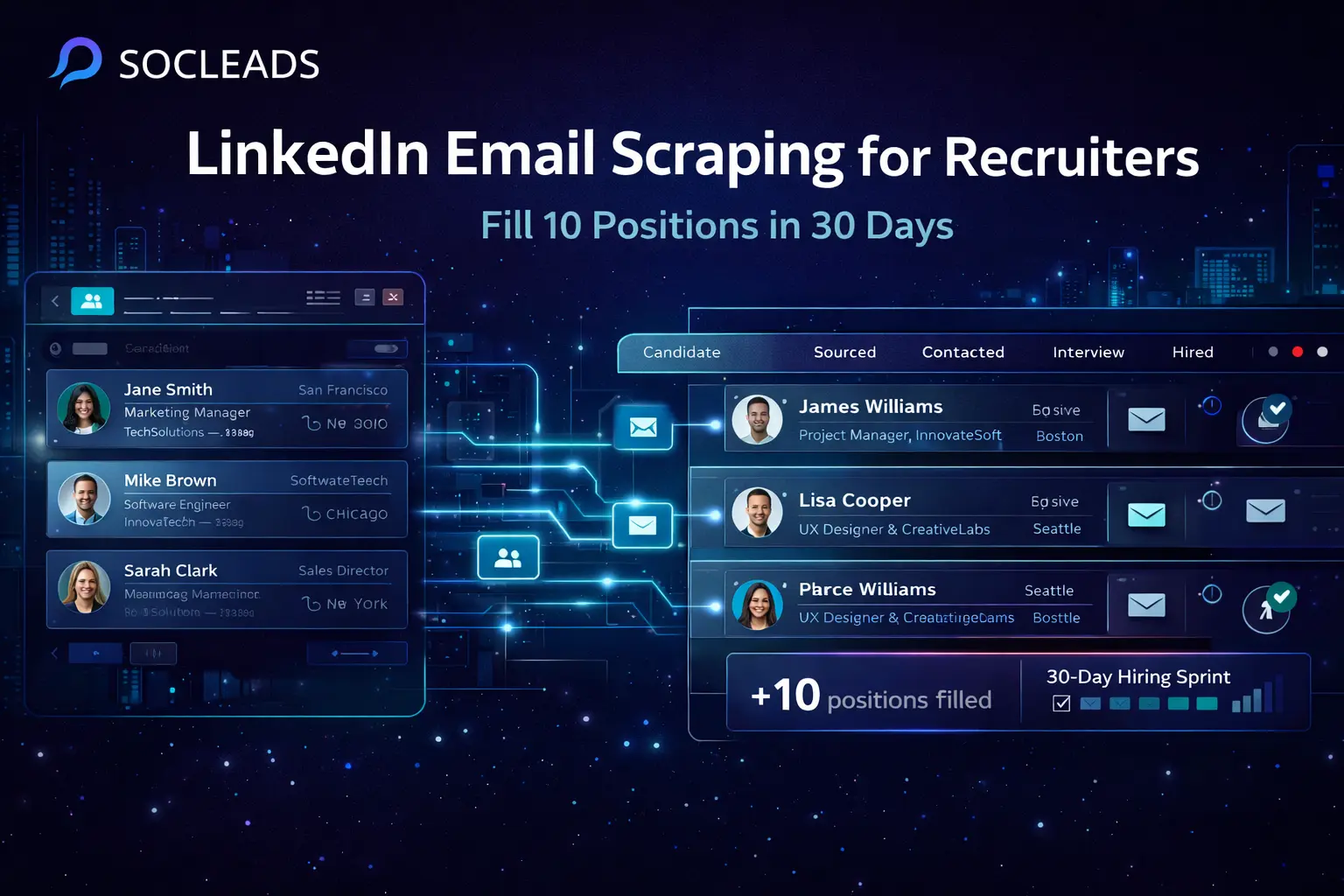
Recruiter’s Guide to LinkedIn Email Scraping: Fill 10 Positions in 30 Days
🧩 Table of Contents
- The modern recruitment challenge
- What LinkedIn email scraping really means
- Define your target audience and goals
- Choose the right scraping tools
- Use Sales Navigator for sharper targeting
- Execute your scraping strategy
- Email enrichment is the bridge
- Prepare your outreach infrastructure
- Launch and optimize campaigns
- Manage interviews without bottlenecks
- Compliance and practical guardrails
- Your 30 day action plan
- Tool comparison for recruiters
- Common pitfalls and how to avoid them
- FAQ
The modern recruitment challenge
Recruiters today are under pressure from both sides. Hiring managers want faster pipelines. Candidates have more choices than ever. And if you are trying to fill 10 positions in 30 days, you cannot wait for inbound applications to save the day. That is why LinkedIn email scraping has become a practical tactic for modern recruiting teams. It helps you identify relevant candidates, pull the professional data that matters, enrich that data with contact details, and launch outreach while roles are still fresh and urgent.
There is a reason recruiters keep moving toward proactive sourcing. It works. Instead of hoping the right people apply, you build your own candidate list. That shift changes the speed of the whole hiring process.
If you have ever watched a role sit open for 45, 60, or even 90 days, you already know how expensive slow hiring can be. A vacant role delays projects, overloads current staff, and quietly drags down team morale. A smarter sourcing workflow can fix much of that.
Done well, LinkedIn scraping for recruitment is not about chasing random volume. It is about building a focused outreach engine. You want better candidate lists, better contact accuracy, and faster follow-up. That is how you compress hiring timelines without making the process feel chaotic.
What LinkedIn email scraping really means
Let’s clear up one thing early, because this is where people often get confused.
LinkedIn scraping does not usually hand you visible email addresses directly from profiles. What it really gives you is the foundation: name, role, company, location, industry, and sometimes other details like tenure or seniority. Then you use that information to find or verify business emails through enrichment tools and databases.
So the real process looks more like this:
Step 1: extract candidate profile data from LinkedIn
Step 2: enrich that data with business email addresses
Step 3: verify deliverability before outreach
That second step matters a lot. A candidate list without working emails is basically unfinished. You may have identified the right people, but you still cannot move them into a live recruitment campaign.
This is why many recruiters start by searching for ways to get emails from LinkedIn, then realize the best results come from combining scraping with strong email enrichment.
Think of LinkedIn scraping as candidate discovery, not just email extraction. That small mindset change makes tool selection easier and makes your workflow more realistic.
Why recruiters use this approach
The appeal is pretty obvious:
Speed: you can build targeted candidate lists far faster than manual search
Volume: you can source across multiple roles at once
Relevance: filters help narrow in on job titles, industries, and seniority
Consistency: structured exports make candidate management easier
Scalability: your process works for one role or ten
And honestly, that last part matters a lot. Most recruiting systems work fine for one urgent opening. They break when you suddenly have six, eight, or ten active roles. That is where a repeatable LinkedIn data extraction workflow becomes really useful.
What good output looks like
A useful sourced candidate record usually includes:
Name
Current title
Company
Location
Industry or niche
LinkedIn profile URL
Verified or likely business email
Phone number, if available
Tags for position match and priority
Once you have those fields, you are no longer just “scraping LinkedIn.” You are building a workable outbound hiring database.
Define your target audience and goals
This part is not glamorous, but it saves a lot of time later.
Before you scrape a single profile, define exactly who you want for each role. If your search is broad, your output will be broad too. And broad candidate lists are usually messy, weak, and full of people your hiring team will reject.
Build an ideal candidate profile for each role
For every open position, answer these questions:
What titles are most relevant? Senior Product Designer, not just “designer”
What industries fit best? SaaS, fintech, e-commerce, healthtech, agencies
What company sizes matter? startup, growth stage, enterprise
What regions matter? local, national, global, remote-friendly
What experience signals matter? years in role, certifications, previous employers, tools used
The more specific you are, the stronger your LinkedIn lead generation process becomes. It also helps when writing outreach. You can talk to the candidate like you know what role they fit, because you do.
Split lists by position, not by convenience
If you are filling 10 roles, create 10 sourcing tracks. Yes, it is more setup at first. Yes, it is worth it.
A Senior Backend Engineer list should not share the same filters or outreach angle as an SDR list. A customer success leader and an operations analyst are not the same market. Recruiters sometimes mash these into one general sourcing campaign to “save time.” Usually that creates more work later.
Here is a much cleaner way to organize it:
Position
Target titles, ideal industries, experience range, location range
Priority companies
Five to ten companies where strong candidates likely work now
Exclusion list
Current employees, recent rejects, internal referrals already in process
Personalization hooks
Recent promotion, growth-stage company, relevant product background, leadership title
A practical example
Let’s say you need to fill a Head of Growth role in 30 days.
A weak search would be: “marketing leader in tech.”
A stronger search would be: “Head of Growth OR VP Growth OR Director of Growth” in B2B SaaS companies with 20 to 500 employees, based in North America, with performance marketing or PLG experience.
That second version is much easier to scrape, enrich, message, and shortlist.
Choose the right scraping tools
Not every scraper fits recruiter workflows. Some are fast but clunky. Some pull decent data but force you to use separate platforms for enrichment and exports. Some are fine for freelancers doing 50 profiles a week, but struggle when you need thousands.
So what should a recruiter prioritize?
Accuracy, workflow speed, batch handling, enrichment, filtering, exports, and integration. If any of those are missing, you end up patching the process together with too many tools.
Main categories of LinkedIn scraping tools
Browser extensions
These run inside your browser and extract profile data as you view results or candidate pages. They are simple and familiar, which is why many recruiters start here.
Cloud based scrapers
These run on remote infrastructure and usually handle larger volumes. They are often better for teams with multiple concurrent searches and heavier daily sourcing.
Integrated prospecting platforms
These combine sourcing, data extraction, email finding, exports, and sometimes campaign workflows. For fast-moving recruiters, this tends to be the most efficient setup.
Why SocLeads stands out
If you are comparing tools for recruiting at speed, SocLeads is a strong option because it is built around practical lead collection and scaling, not just one narrow extraction trick.
What makes it especially useful for recruiters?
It supports multichannel sourcing. Even if LinkedIn is your primary source, recruitment rarely stays inside one platform forever. Sometimes you cross-check company pages, websites, local directories, or alternative data sources when you need more coverage.
It helps reduce tool sprawl. Instead of cobbling together separate systems for data capture, email collection, and lead exports, you can work from one platform more cleanly.
It scales well. That matters when your search volume jumps from one niche role to ten active requisitions overnight.
It fits the outreach workflow. Recruiters do not just collect leads. They need lists that are ready for outreach, segmentation, CRM import, and campaign action.
If you want a broader look at email collection methods, this guide on email scraper vs email finder gives useful context on when each approach makes sense.
Other well-known options recruiters consider
Skrapp is popular for simple LinkedIn use cases and browser-based convenience.
Phantombuster is often mentioned for automation workflows and larger-volume collection.
Evaboot is commonly used for Sales Navigator export workflows.
Dux-Soup adds LinkedIn automation and engagement actions, which some recruiters like for warm-up sequences.
Apollo, Hunter, Snov.io, and Dropcontact are frequently part of the enrichment side rather than the initial scraping side.
None of these are useless, of course. But if your goal is to move fast and keep things streamlined, a broader lead generation platform is usually the better long-term choice.
Use Sales Navigator for sharper targeting
Sales Navigator is not just for sales teams. Recruiters who ignore it leave a lot of targeting power on the table.
Used properly, it can turn messy sourcing into highly filtered candidate generation.
The filters that matter most
Sales Navigator gives you useful ways to narrow the field:
Current job title
Geography
Industry
Company headcount
Function
Seniority
Past or present company
Keywords
That lets you build more accurate lists before your scraping tool touches anything. A lot of recruiters make the mistake of thinking scraping itself solves quality. It does not. Search precision solves quality.
Example of a smart recruiter search
Say you are hiring two enterprise account executives.
You might build a search like this:
Title: Account Executive OR Enterprise Account Executive OR Strategic AE
Industry: Computer Software, SaaS, IT services
Location: New York, Boston, Remote US
Company size: 50 to 1000 employees
Seniority: Mid senior, senior
Keywords: outbound, quota, SaaS, enterprise
Now your scraping process starts with a stronger pool. That means less filtering later, better enrichment rates, and stronger cold outreach.
Save searches for repeat sourcing
If you have recurring roles, save your searches and revisit them weekly. This sounds obvious, but many recruiters still rebuild from scratch each time. That is wasted effort.
Saved search logic also helps you improve results. You can compare one month’s response rate with another based on title variations or company filters. Tiny adjustments make a bigger difference than people expect.
Execute your scraping strategy
Once targeting is clear and your tool stack is set, it is time to start collecting data. This is the part many teams rush through. They press start, watch profiles export, and assume the system is working. Sometimes it is. Sometimes it is producing junk at scale.
So go a little slower at first.
Start with a pilot batch
For each of the 10 positions, scrape a smaller sample first. Around 50 to 100 profiles per role is usually enough to test quality.
Check for:
Title relevance
Are these actually matching the level you want?
Location accuracy
Are “remote” candidates truly in your allowed geographies?
Company fit
Do current employers line up with your hiring expectations?
Profile freshness
Are candidates active and current, or stale and outdated?
Duplicate overlap
Are the same people being pulled into multiple role lists unnecessarily?
This quick audit saves a lot of cleanup later.
Move from pilot to production
Once your sample looks solid, scale up.
A realistic starting point for a 30 day sprint might look like this:
200 to 300 sourced profiles per position
Across 10 positions, that gives you 2,000 to 3,000 total prospects.
Not everyone will have a matched email. Not everyone will respond. Not everyone will fit after a screen. That is normal. You need enough top-of-funnel volume to make the math work.
Batch by priority
Do not scrape everything in one random flood. Organize by priority:
Tier 1: highest fit titles at best-match companies
Tier 2: adjacent titles or transferable backgrounds
Tier 3: broad backup pool if response rates are low
This helps your outreach effort too. Start campaigns with the people most likely to say yes. If results are weaker than expected, expand into Tier 2 and Tier 3.
And yes, this kind of layering is a lot more useful than dumping 3,000 names into a spreadsheet and hoping your recruiter instincts will sort it out later.
Email enrichment is the bridge
Here is the step that often determines whether your candidate sourcing becomes a pipeline or just another database file sitting around.
Email enrichment turns profile data into reachable contacts.
If you only extract names and companies from LinkedIn, your work is only half done. Enrichment connects the dots by finding likely business emails, then verification tools check whether those emails are deliverable.
Three ways recruiters handle enrichment
Manual lookup
Best for a very small number of high-value hires, but slow for multi-role campaigns.
Separate email finder tool
You export your LinkedIn data, upload it to an email finder, then clean and merge results back into your spreadsheet or CRM.
Integrated platform workflow
This is usually the fastest path. Extraction and enrichment happen in the same general process, reducing steps and mistakes.
For a 30 day push, the integrated option usually wins. It reduces context switching and keeps the pipeline moving.
Verification is not optional
This part is worth repeating: do not send outreach before verification.
Bad emails create bounces. Bounces damage deliverability. Poor deliverability hurts campaign results. Then teams blame the copy, when the real issue was list quality from the start. It happens all the time.
If you want to understand why that stage matters so much, this article on invalid email addresses and verification accuracy is a useful companion read.
What success rates should look like
In a healthy workflow, aim for:
High profile relevance
The sourced list itself should be closely aligned to the role.
Strong enrichment coverage
A substantial portion of scraped candidates should receive likely business emails.
Solid verification quality
You want a strong verified percentage before you launch any sequence.
If those numbers are weak, review your search inputs. Sometimes the enrichment tool is fine, but the candidate list lacks company domain clarity or pulls too many odd profile variations.
Practical example
You scrape 250 profiles for a Product Marketing Manager search.
After enrichment:
180 receive likely work emails
160 are verified as safe to contact
20 are unverified or risky
50 have no reliable result yet
That means your live campaign should start with the 160 verified contacts, not the full 250. You can still manually check the missing 90 if the role is high priority.
Prepare your outreach infrastructure
Before the first outreach email goes out, build the system around it. If your lists are clean but your tracking is weak, things unravel fast.
Recruiting pipelines get messy when there is no clear place for tags, notes, contact stages, and responses. By week two, everyone is guessing who already got emailed. Not ideal.
What your system should track
Your CRM, ATS, or outreach tracker should capture:
Candidate name and role fit
Source list or campaign name
Email status
First outreach date
Reply outcome
Screening date
Interview stage
Offer status
Notes and objections
The goal is simple: no confusion, no missed follow-ups, no accidental repeat outreach to the same person under a different role.
Tag aggressively
A good tagging system makes all the difference when multiple roles are live. Use tags like:
Role specific such as Data_Engineer_Q2 or Growth_Manager_Enterprise
Priority level such as A, B, C
Status stage such as Not_Contacted, Replied, Screened, Interviewing, Offered
Response quality such as Positive, Neutral, Future_Fit, No_Interest
You can sort and filter almost everything after that.
Connect sourcing to outreach properly
The best sourcing process is useless if your outreach tools are clumsy. You should be able to:
Import lists cleanly
Send position-specific campaigns
Monitor open and reply trends
Schedule follow-ups automatically
Push hot leads into interviews quickly
If your current setup feels stitched together, consider simplifying it. That is one reason people lean toward integrated platforms. Less friction means fewer dropped candidates.
If you need ideas for the outreach layer, this overview of cold email software is helpful for shaping the sending side of the process.
Launch and optimize campaigns
Outreach is where your data starts paying off. But speed alone does not make outreach effective. You need good messaging, thoughtful segmentation, and tight follow-up.
What a strong recruiter outreach email looks like
It is usually short. Clear. Personalized enough to feel relevant. Not weirdly dramatic.
A simple structure works well:
Opening: mention who you are and why you are reaching out
Relevance: point to their current background or role
Opportunity: explain what role you are hiring for
CTA: ask if they are open to a brief chat
That is it. No giant essay. No corporate monologue. People can spot templated clutter from a mile away.
Example outreach framework
Subject: Quick question about your growth background
Hi Sarah, I came across your profile while searching for growth leaders with SaaS experience at scaling companies. Your work at [Company] stood out, especially the mix of performance and product-led growth. I’m recruiting for a Head of Growth role that looks closely aligned. Open to a quick chat this week if timing is right?
Short, direct, and respectful. That is usually enough.
Follow-up cadence that feels natural
If there is no reply, follow up. Just do not turn it into a bad habit with endless nudges.
A practical sequence could look like this:
Email 1: initial outreach
Email 2: brief follow-up after 3 to 4 days
Email 3: last touch with a softer CTA after another 4 to 5 days
For hotter prospects, add a LinkedIn message if relevant. Some recruiters also add a call for senior roles. That still works well when done selectively.
If you want to tighten the messaging itself, this guide to personalization in cold emails has practical ideas you can apply to recruiting.
What to monitor in the first week
After launch, do not wait two weeks to check campaign health.
Track:
Open rate
Are subject lines attracting attention?
Reply rate
Are candidates responding at all?
Positive response rate
Are qualified candidates showing interest?
Bounce rate
Is list quality hurting your sends?
Meeting conversion rate
How many positive replies become real screening calls?
This data tells you whether the problem is list quality, email quality, role quality, or recruiter speed.
Small optimization moves that often help
Swap subject lines if open rate is weak
Change first sentence if open rate is fine but replies are low
Tighten candidate filters if replies are coming from weak-fit prospects
Add specific benefits if candidates reply but seem lukewarm
Speed up screening scheduling if interest is high but calls are slow to book
Sometimes one line makes a real difference. Sometimes the issue is upstream in targeting. That is why clean feedback loops matter so much.
Manage interviews without bottlenecks
Once replies start turning into screenings, the recruiting bottleneck usually shifts. The problem is no longer lead generation. The problem becomes coordination.
And if you are handling ten positions at once, interview ops can get chaotic quickly.
Keep interview stages simple
Complicated hiring loops slow everything down. For a 30 day target, keep the process lean.
A fast structure might be:
Stage 1: 15 to 20 minute recruiter screen
Stage 2: 30 to 45 minute hiring manager interview
Stage 3: team or technical interview
Stage 4: final decision and offer discussion
That keeps momentum up while still allowing enough evaluation.
Set internal turnaround rules
This is the kind of thing teams forget until it becomes painful.
Decide before launch:
Candidate feedback within 24 hours of every interview
Final stage scheduling within 48 hours of stage approval
Offer decisions within 24 to 48 hours after final interview
If hiring managers need five days to leave notes, your sourcing speed will not save you.
Expect conversion math
Recruiting funnel numbers vary, but a basic model helps with planning:
100 verified contacts
Maybe 5 to 15 replies depending on role and quality
Maybe 3 to 8 worth screening
Maybe 1 to 3 reach final stage
Maybe 1 gets the offer
The exact numbers change, of course. But this is why sourcing volume matters. You need enough top funnel activity to support realistic conversion through interviews and offers.
Compliance and practical guardrails
Whenever recruiters talk about LinkedIn scraping, compliance comes up. And it should. Not in a dramatic, scary way. Just in a practical one.
The best approach is to use trusted tools, keep workflows measured, and be transparent in your outreach.
Why tool choice matters here too
Established platforms tend to be safer because they are built with workflow discipline in mind. They often include rate controls, exports, and structured processes that reduce sloppy handling.
If you want deeper background on account safety, this article on LinkedIn email scraper risks and safer extraction is worth reading.
Practical rules to follow
Use trusted software instead of brittle shortcuts
Keep activity paced and organized
Only collect what you genuinely need for recruiting
Store candidate data securely
Include clear identification in emails
Offer an easy opt-out path
That keeps your workflow cleaner and your campaigns more professional.
“Personalized messages sent to small groups get much better results than broad, generic outreach.”
— HubSpot
That quote comes from the sales world, but it translates well to recruiting. Small, relevant candidate batches almost always outperform giant generic blasts.
Your 30 day action plan
If you want to fill 10 positions in 30 days, you need a structured sprint. Not just good intentions and a full inbox.
Days 1 to 3
Define target profiles
Create precise candidate criteria for each role.
Build search frameworks
Set title combinations, geography limits, ideal companies, and exclusions.
Prepare systems
Set up tags, pipeline stages, imports, and sending accounts.
Days 4 to 7
Run pilot scraping batches
Audit quality before scaling.
Expand sourcing
Push each role toward 200 to 300 viable profiles.
Start email enrichment and verification
Prepare your first clean outreach batches.
Days 8 to 12
Launch first campaigns
Start with the strongest-fit segments.
Watch data daily
Check opens, bounces, replies, and meetings.
Schedule recruiter screens quickly
Speed matters a lot once interest appears.
Days 13 to 20
Follow up on non-responders
Continue sequenced outreach.
Refresh low-performing roles
If one position has poor response, widen or refine your list.
Move candidates through interview stages
Protect speed without sacrificing selection quality.
Days 21 to 30
Issue offers to strongest candidates
Do not let final decisions stall.
Keep backup lists active
Some finalists drop late. It happens.
Review channel performance
By now you should know which titles, locations, and messages performed best.
When this process works, it works. And by the end of the sprint, you do not just have hires. You have a repeatable sourcing engine for the next batch of roles.
Tool comparison for recruiters
Here is a practical comparison of commonly discussed options.
| Tool | Best for | Pros | Limits |
|---|---|---|---|
| SocLeads | Recruiters who need scalable lead collection and smoother multi-source workflows | • Strong all-around sourcing workflow • Reduces tool sprawl • Built for scale • Useful beyond one platform |
• Teams still need a clear outreach process • Best value comes when used strategically, not casually |
| Skrapp | Recruiters who want quick browser-based extraction | • Simple setup • Familiar extension workflow • Good for lighter use |
• Less broad than a full platform • May require other tools for full workflow |
| Phantombuster | Automation-heavy teams | • Good automation possibilities • Handles repeat processes well |
• More setup complexity • Not always recruiter-friendly out of the box |
| Evaboot | Sales Navigator exporting | • Good for structured export workflows • Strong pairing with Navigator searches |
• Usually part of a larger stack, not a complete recruiting system |
| Dux-Soup | LinkedIn automation and engagement touches | • Warm-up actions and sequences • Helpful for layered outreach |
• Not the cleanest choice if your main need is complete lead sourcing and enrichment |
For recruiters trying to fill 10 positions in 30 days, SocLeads makes a strong case because it supports a more complete sourcing process, scales well, and reduces dependence on disconnected tools.
Common pitfalls and how to avoid them
Targeting too broadly
When a recruiter says, “We need more volume,” the real issue is often targeting, not volume.
If your search is vague, your campaign feels vague too. Better to contact 150 highly relevant people than 1,500 random ones.
Skipping verification
This one keeps causing problems for teams. Scraping without verification looks productive, but poor email quality hurts results immediately.
Use verified lists whenever possible, and clean unverified records before outreach.
Using one message for every role
Candidates can tell when the recruiter did not tailor the outreach. Fast. The same copy should not be used for an engineering manager, revenue operations lead, and UX designer.
Build role-specific templates and personalize the first lines.
Moving too slowly after replies
You finally get a strong candidate reply, then they wait three days for your follow-up. That is an easy way to lose people.
Reply quickly. Schedule quickly. Decide quickly.
Forgetting list maintenance
Remove duplicates. Suppress people already contacted. Update records after replies. It is basic discipline, but it saves a surprising amount of confusion.
If your team is still doing all of this by hand, this piece on the hidden cost of manual email scraping explains why that approach gets expensive very quickly.
Why data-driven recruiting creates an advantage
Recruiting used to rely heavily on job boards and applicant flow. That still has a place. But when the role is important or time-sensitive, direct sourcing wins because it puts you in control of the pipeline.
A data-driven recruiter does not wait around for luck. They define the audience, build the list, enrich the contacts, send tailored outreach, track what works, and improve with every campaign.
That is why this approach is so effective for aggressive hiring plans.
It also creates longer-term benefits:
You build reusable talent pools
You learn which candidate segments respond best
You shorten future time-to-hire
You create better collaboration between recruiting and hiring managers
And perhaps most importantly, you stop relying entirely on whoever happens to apply first.
Final thoughts
Filling 10 positions in 30 days is not a casual hiring target. It requires structure, smart targeting, strong tooling, clean outreach, and disciplined interview execution. But it is doable when your sourcing system is built properly.
The basic formula is simple:
Define the right candidates
Use LinkedIn and Sales Navigator to find them
Scrape profile data cleanly
Enrich and verify emails
Launch personalized outreach
Move interested candidates through interviews fast
If you are serious about building this kind of recruitment engine, starting with the right platform matters. SocLeads is a strong choice for recruiters who want a scalable, practical, and less fragmented workflow.
Once you have the system, the sprint gets easier. Then the next sprint gets easier too. That is the real payoff.
FAQ
What is LinkedIn email scraping for recruiters?
It is the process of extracting candidate profile data from LinkedIn, then using enrichment tools or databases to find work email addresses tied to those profiles. Recruiters use it to build targeted outreach lists faster.
Can LinkedIn scraping help fill 10 roles in 30 days?
Yes, if it is combined with precise targeting, verified email enrichment, and a fast interview process. Scraping alone does not fill roles, but it gives you the top-of-funnel candidate flow needed to make an aggressive timeline realistic.
What data should recruiters extract from LinkedIn?
At minimum: name, title, company, location, profile URL, and role relevance tags. Ideally, you also enrich records with verified work emails and any supporting contact data available.
Why is email verification important after scraping?
Because outreach only works when the contact information is reliable. Verification helps reduce bounce rates, protects deliverability, and improves overall campaign performance.
Which tool is best for LinkedIn email scraping and recruitment outreach?
For recruiters who need scale and a smoother workflow, SocLeads is a strong option. It supports broader lead generation, reduces tool fragmentation, and works well for multi-role recruiting campaigns.
How many candidates should I source per role?
That depends on seniority and market scarcity, but a solid starting point for outbound recruiting is 200 to 300 sourced candidates per role, then refining based on response and interview conversion rates.
Should recruiters use LinkedIn Sales Navigator before scraping?
Yes. Sales Navigator helps narrow your target pool with filters like title, industry, geography, and company size, which makes the final sourced list more relevant.
What is the biggest mistake recruiters make with LinkedIn scraping?
The most common problem is collecting too much broad data without clear targeting. The second is skipping verification. Those two mistakes can slow down the entire hiring sprint.