Best Webinar Tools for B2B Lead Generation in 2026
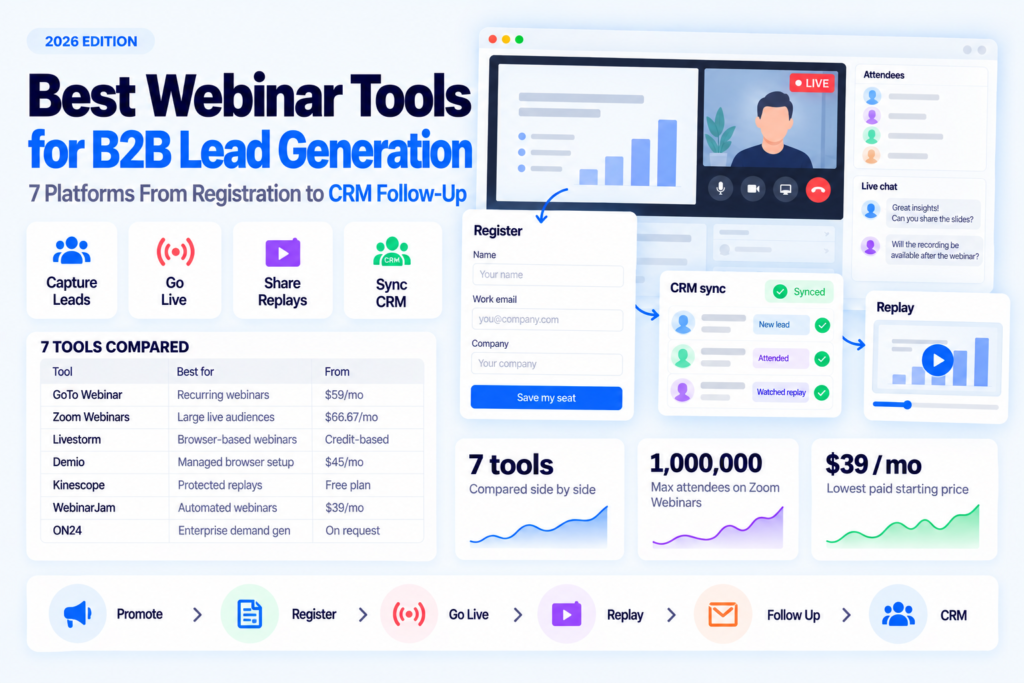
- A webinar pays off only when registrations get followed up, ideally pushed straight into your CRM. A flawless broadcast on its own still leaves you with just a list of emails and no automatic follow-up, so the registration page and the CRM integration matter more than video quality.
- GoTo Webinar and Zoom Webinars are the picks for a proven live platform at scale. WebinarJam has the lowest entry price, and Demio runs a browser-only setup that small teams can start without any installs.
- A replay behind an email gate keeps capturing sign-ups for weeks, which is where protected hosting like Kinescope fits, paired with a live tool rather than used instead of one.
- No platform builds your invite list, so for a cold audience you line up who to invite before you pick the tool.
Each tool here does one job in the funnel well, so the right pick usually follows from the stage you are solving. The full breakdown sits in the section below on which tool to choose.
What this comparison is really about
The real question is whether attendee details reach your CRM. A platform can run the broadcast flawlessly and still hand back raw contacts no one follows up on. Handling the recording afterward is a task of its own.
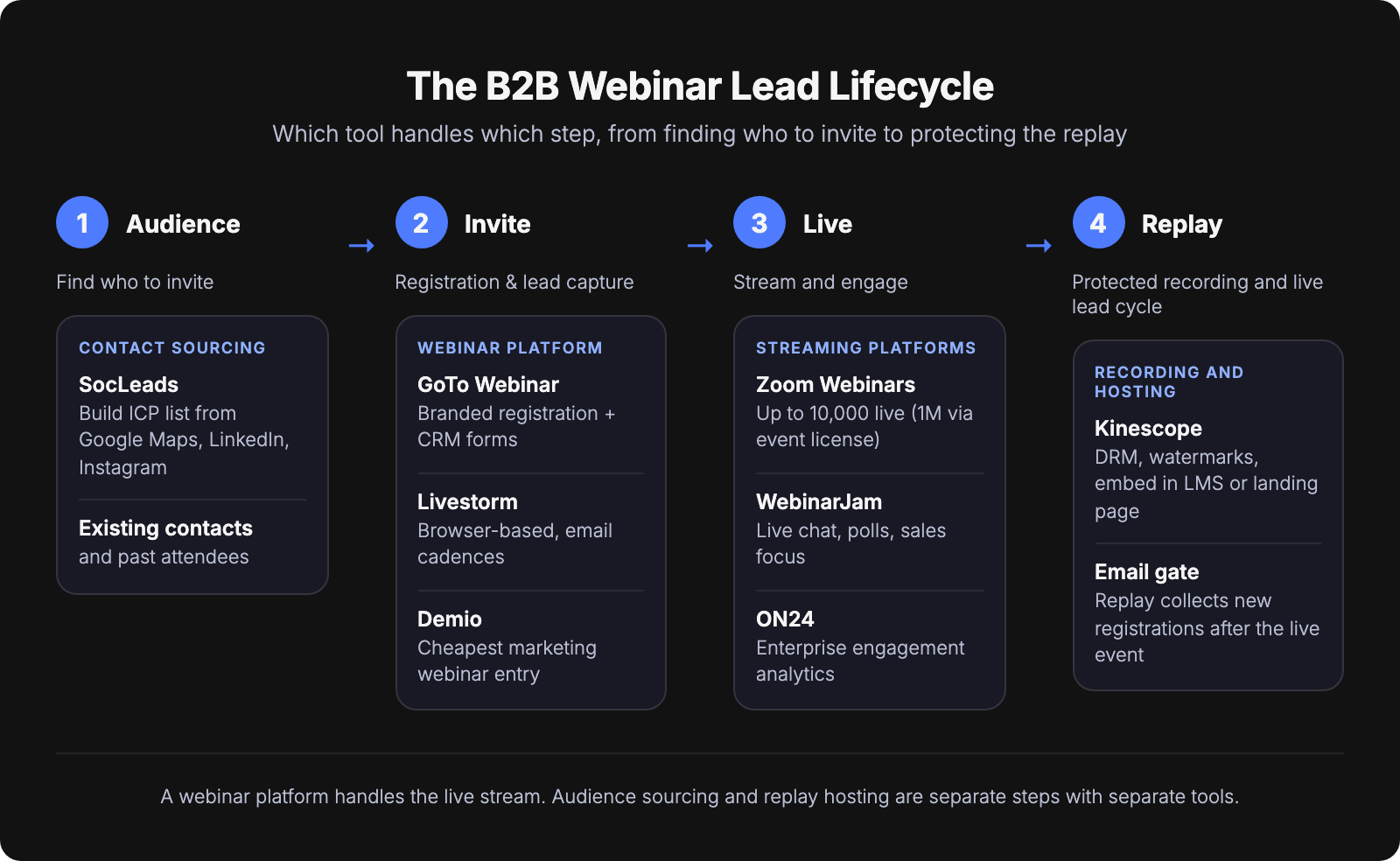
Most B2B webinars lose the lead at registration and follow-up, while the broadcast itself runs fine. The platform you pick decides only the event itself, the middle of the funnel.
Webinar tools for B2B lead generation compared
GoTo Webinar and Zoom lead the list. Both run large live events reliably and connect to the main marketing CRMs.
Scroll horizontally to compare all columns →
| Tool | Best for | Registration + lead capture | CRM integrations | Max attendees | Starting price |
|---|---|---|---|---|---|
| GoTo Webinar | Recurring lead-gen webinars | Yes | Salesforce, HubSpot, Marketo (Complete plan only) | 3,000 | from $59/mo |
| Zoom Webinars | Large live audiences | Yes | Salesforce; syncs attendee data to CRM | 10,000 standard (1,000,000 via single-use event license) | from $66.67/mo (plus a licensed Zoom user) |
| Livestorm | Browser-based marketing webinars | Yes | HubSpot, Zapier (Pro); Salesforce, Marketo (Enterprise) | 3,000 / event (Pro and Enterprise) | from €2.50 per attendee credit (Pro) |
| Demio | Fully-managed browser-only setup | Yes | HubSpot, Salesforce, Marketo, Pardot (Premium) | 3,000 | from $45/mo |
| Kinescope | Protected recordings and replays | No, hosting and embed | Via embed only | N/A (video host rather than a webinar platform) | Free, then from €10/mo |
| WebinarJam | Automated and sales webinars | Yes | Via Zapier and email-tool integrations | 5,000 | from $39/mo |
| ON24 | Enterprise demand generation | Yes | Salesforce, HubSpot, Marketo | up to 5,000 | Pricing on request |
Starting prices are each vendor's lowest published plan, billed annually where that is the cheaper rate.
How we chose. A B2B webinar splits into two tasks, and a tool made the list for doing one of them well. The first is capturing the live lead: branded registration pages, attendee reporting and a path into your CRM. The second is keeping the recording safe and working afterward, so new sign-ups come in for weeks after the event. Kinescope covers that second one only. It does not capture the lead itself; it stores and protects the replay, and the reader gates access around it. Plain broadcast tools that do neither are left out. Read the table by funnel stage rather than as a ranking: live platforms first, then marketing-first tools, then protected recording, then sales and enterprise.
GoTo Webinar
GoTo Webinar suits a dependable recurring schedule. You run the same weekly or monthly webinar, and the branded registration pages and lead-capture forms come as standard. No extra builder needed. Attendee data can flow into Salesforce, HubSpot or Marketo, though GoTo lists native integrations only on its top Complete plan, not on the $59 or $103 tiers below it. The reporting shows who registered, who showed up and who dropped off.
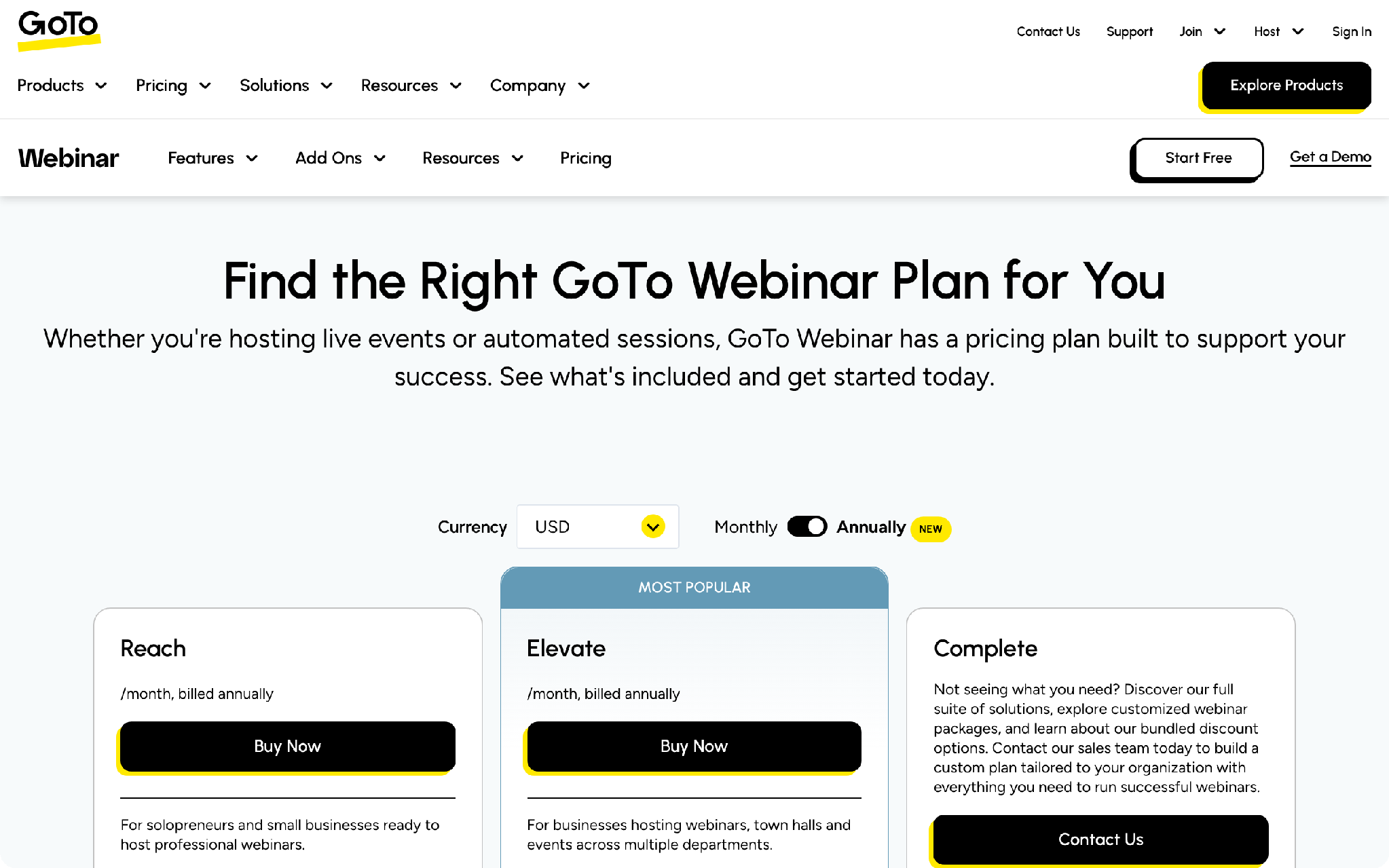
The platform also runs polls, Q&A, breakout rooms, recordings and simulive, and GoTo lists GDPR compliance features. Pricing starts with Reach at $59 a month billed annually, for up to 500 attendees. That is the cheapest plan. The middle plan, labeled "Most Popular" on the pricing page, is $103 a month for up to 1,000. Complete is a custom quote for up to 3,000.
Best for: teams running regular webinars that need a reliable registration flow.
Not for: a cheap one-off or evergreen webinar. The entry price sits above Demio and WebinarJam.
Zoom Webinars
Zoom stands out on scale. It supports up to 1,000,000 attendees, more than any other tool here, on the platform most of your audience already knows. That ceiling comes through a single-use event license; the standard subscription runs up to 10,000. Custom registration pages and branded lobbies capture attendee details, and interactive dashboards track engagement. Zoom syncs attendee data to your CRM, so you can see how events influence pipeline, and recordings arrive with AI-generated chapters.
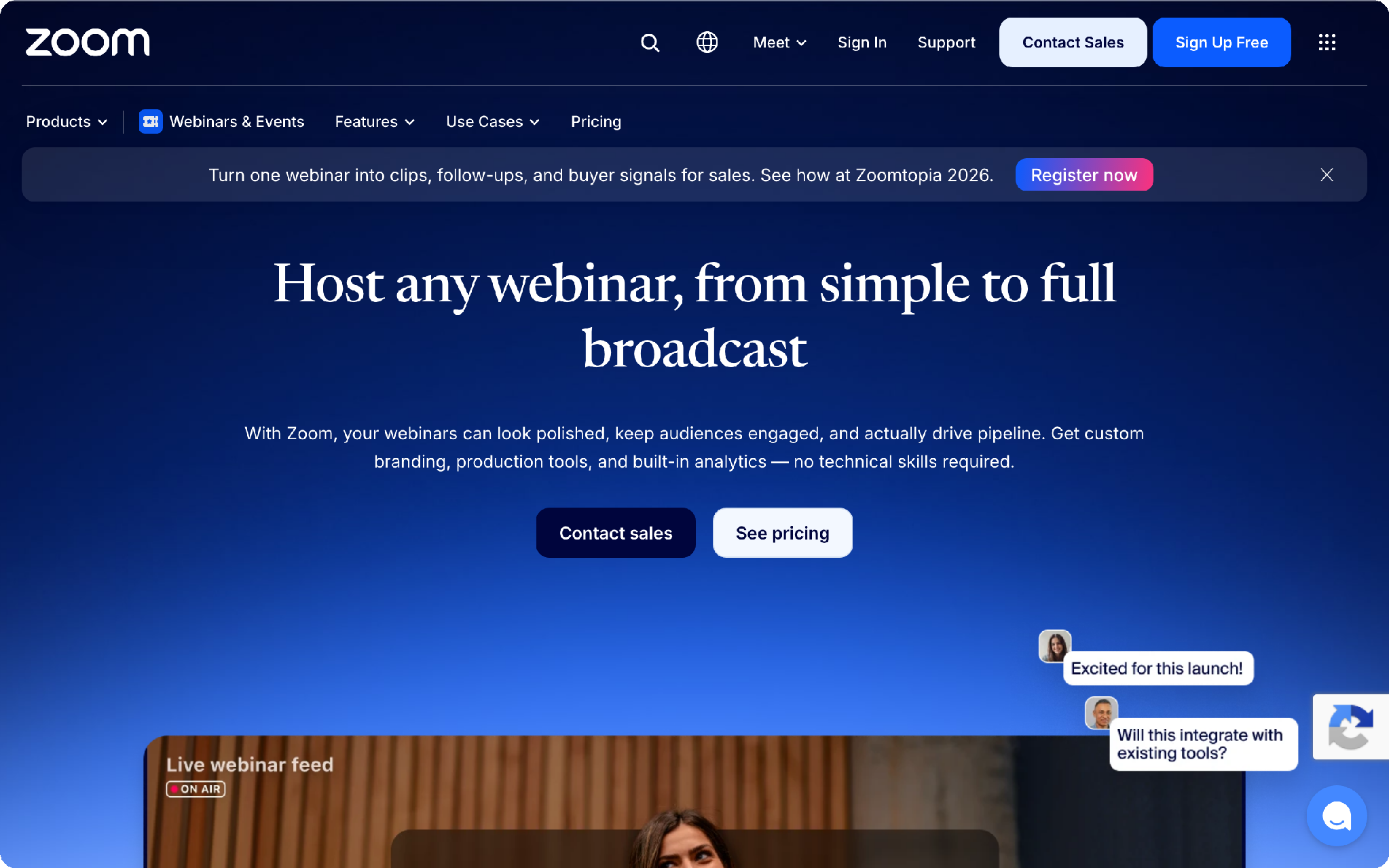
Webinars starts at $66.67 a month, billed annually, covering up to 500 attendees. Larger tiers sit above it. Zoom Webinars is an add-on, so you also need a paid licensed Zoom user to run it.
Best for: large live events and teams already standardized on Zoom.
Not for: lead generation as the main goal. This is a broadcast tool, and it runs on top of a paid Zoom license instead of on its own.
Livestorm
Livestorm runs entirely in the browser, so you and your attendees join without installing anything, which is its main draw for marketing teams. Registration pages, email cadences for reminders and follow-ups, analytics and contact records all sit in one place. The tool is built for marketing webinars more than general meetings. The Pro plan ties into HubSpot and Zapier. Enterprise adds Salesforce, Marketo, Pardot and Microsoft Dynamics.
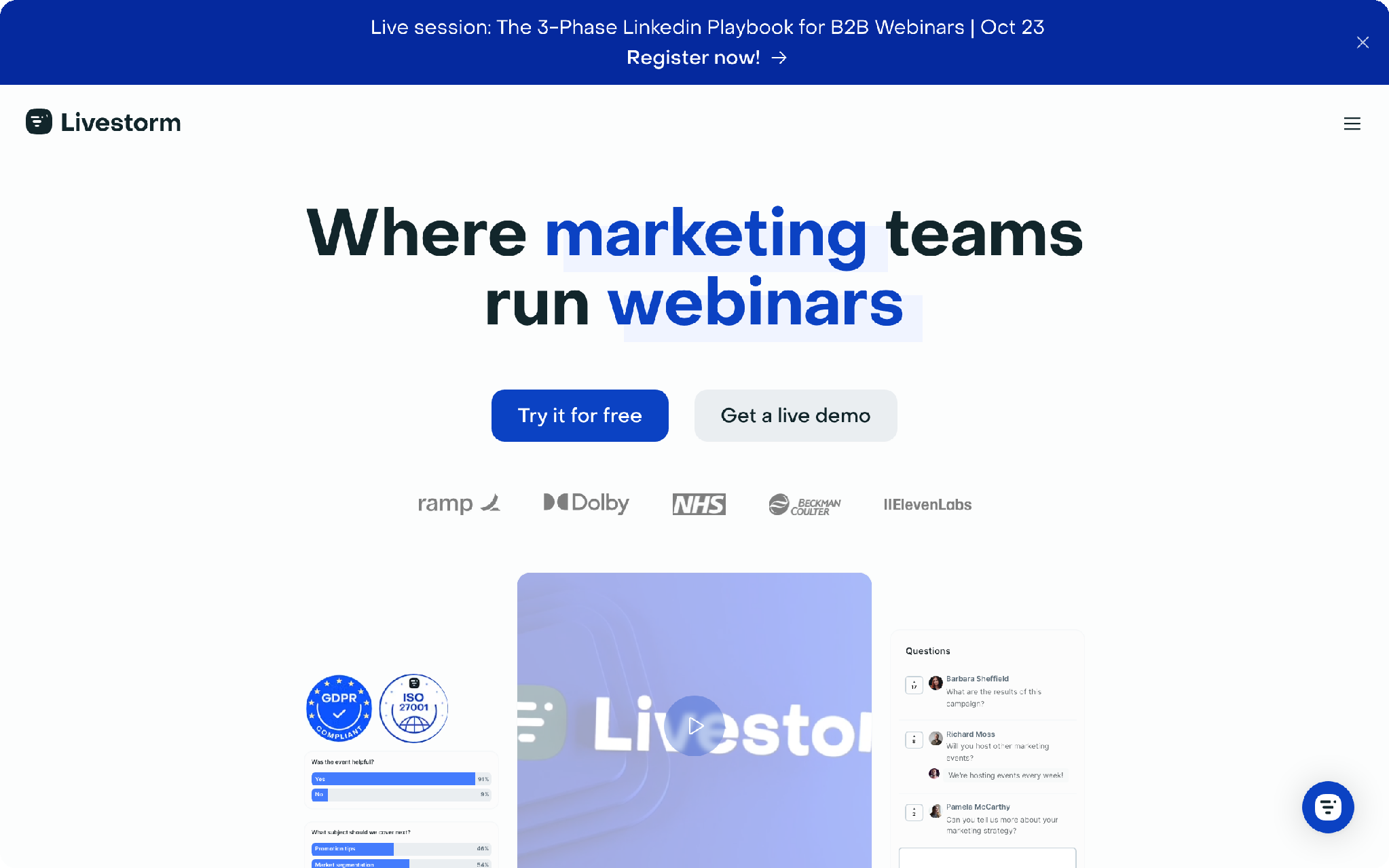
Pricing on Pro runs on attendee credits rather than a flat fee. Enterprise is a custom quote. There is no permanent free plan, only a trial.
Best for: marketing teams who want attendees to join without installing anything.
Not for: anyone who wants a simple fixed monthly price. The credit model is harder to forecast.
Demio
Demio covers the full marketing webinar cycle for live, automated and on-demand sessions, with a clean registration flow and nothing for attendees to install. Registration pages with custom form fields capture lead data. Engagement analytics come on every plan. Automated and on-demand webinars arrive on the higher tiers. The CRM push into HubSpot, Salesforce, Marketo and Pardot is a Premium feature, so the lowest plan captures leads but does not hand them to your CRM automatically.
Starter is $45 a month billed annually, or $63 monthly, for 50 attendees. Growth starts at $117 per host and the price rises with attendee capacity. Premium is $196, and the top tier reaches up to 3,000 attendees. There is no free plan, but a 14-day trial covers smaller sessions.
Best for: small B2B teams running webinars as a steady lead channel.
Not for: a very large room, since Starter tops out at 50 attendees, or enterprise analytics on a cheap plan.
Kinescope
Kinescope works on the recording side, after the live event ends. It does not capture registrations or leads itself; you pair it with any of the live tools above, where that tool runs the event and Kinescope takes over the protected recording and replay. A stream turns into a regular on-demand video the moment it ends. You can trim it, add chapters, then host it as a protected replay. Put that replay behind an email gate on a landing page or in a members area, and it goes on collecting registrations long after the stream is over. There is no seat cap on the replay, since viewers watch a hosted video rather than fill a live room.
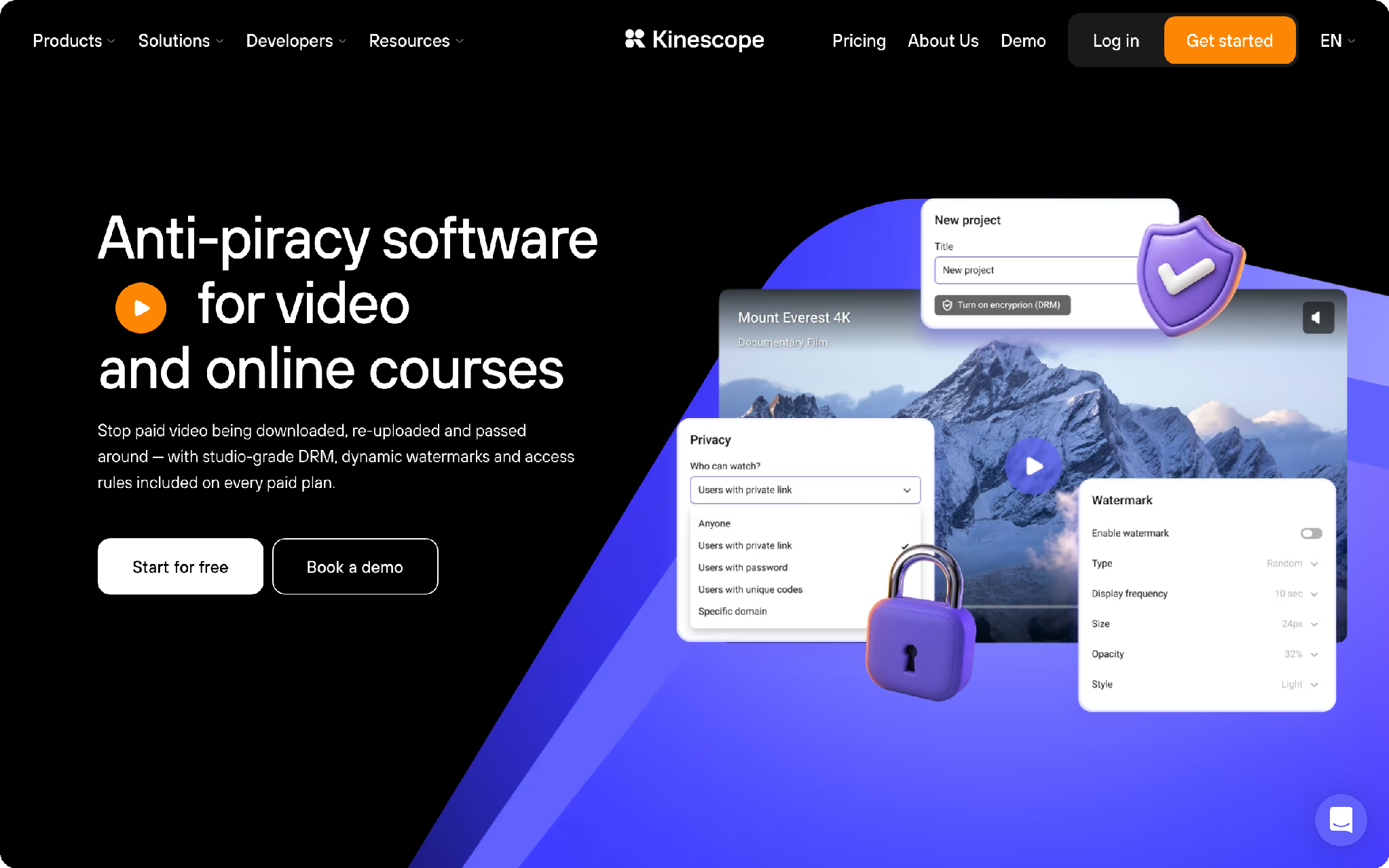
Protection is the reason to reach for it over a general video host. The player supports DRM through Widevine and FairPlay. Dynamic watermarks burn each viewer's ID into every frame, so a leaked copy can be traced. Domain allowlisting comes on every paid plan, so the player loads only on domains you approve, and you can gate access further with passwords, one-time codes or an email allowlist. Kinescope is clear about the limit. DRM blocks screen recording where the operating system allows it, on iOS, Android, macOS and Windows. In its own words, "nothing blocks it everywhere, because screen capture is a system-level action." The branded, ad-free player embeds with a snippet and no plugin. A replay drops into Webflow, WordPress, Moodle, Canvas or Teachable. Video runs up to 4K, with AI subtitles in 90+ languages.
The Free plan stays at €0 a month. It covers up to 100 minutes of video, 200 GB of traffic a month, 20-minute HD live streams, 20 viewers and two workspace seats, without DRM. Super starts from €10 a month on pay-as-you-go, where the final cost depends on actual usage. It adds DRM, unlimited storage and unlimited FullHD live streaming, with traffic billed pay-as-you-go. Mega is a custom quote.
Best for: webinars that pay off through the recording, meaning paid or gated content and replays you embed on a site or in an LMS.
Not for: teams that need registration pages, email cadences and lead reporting inside one platform. Kinescope handles video delivery and protection, while capturing and scoring the lead happens elsewhere.
WebinarJam
For sales and evergreen webinars, WebinarJam has the lowest entry price, paired with A/B testing on the registration page. Live chat, polls and surveys run during the session. Email and SMS reach registrants. Several presenters can share the stage, and you can stream to Facebook and YouTube. Automated webinars come through the linked EverWebinar product. Every plan allows unlimited webinars.
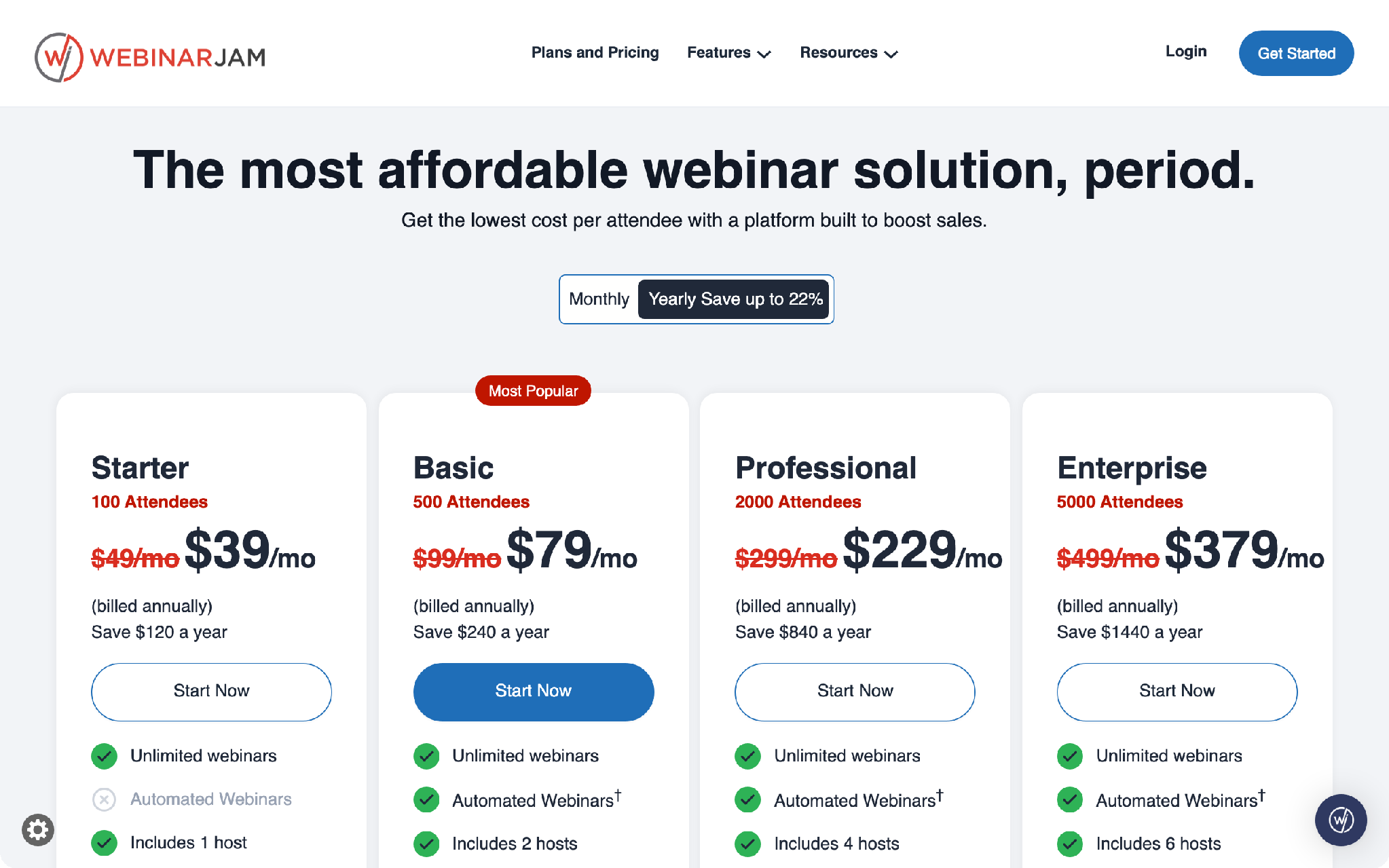
Starter is $39 a month billed annually, or $49 monthly, for 100 attendees. Basic is $79 and carries the "Most Popular" label. Professional is $229, and Enterprise is $379 for the largest rooms.
Best for: teams running sales and automated webinars that depend on landing-page conversion.
Not for: enterprise reporting and deep CRM analytics, which the GoTo, Zoom and enterprise tiers handle better.
ON24
ON24 centers on engagement analytics and nurture for demand-generation teams. It tracks attendee behavior across a whole program instead of a single event. The platform sits at the enterprise end of this list and connects to the main marketing CRMs. There is no published price, and you buy it through a sales team.
Best for: large marketing programs with a budget to match.
Not for: small teams that need a public, fixed price to plan around.
So which webinar tool should you pick?
It comes down to the stage you are solving for.
- Run recurring webinars that connect to a CRM? Choose GoTo Webinar, keeping in mind its native CRM integrations sit only on the top Complete plan, which is priced on request rather than included in the cheaper published tiers.
- Expect a very large live audience? Choose Zoom Webinars.
- Working to a tight budget? Choose WebinarJam for sales and automated sessions, or Demio for a fully-managed marketing setup, keeping in mind Demio Starter captures leads but only pushes them to a CRM on Premium.
- Need browser-only joining for attendees? Choose Livestorm.
- Is the replay the real asset? Add Kinescope on top of whichever live tool you picked above, to host and protect the recording.
- Running a large demand-gen program with budget? Choose ON24.
Several tools overlap, so a single webinar rarely needs more than one of them. Whichever you pick, the platform only runs the event itself. Who to invite and how to follow up are still on you.
Who to invite before you build the funnel
The invite list is the part no webinar platform solves. You can pick the strongest platform on this list and still face empty seats, because registration only captures people who already found your page. For a cold B2B audience you build a targeted invite list first, by ICP. That means the companies and roles you actually want to attend.
SocLeads builds and validates a contact list to your ICP, so your invites go to the accounts you picked rather than whoever happens to find the registration page. You set the criteria yourself, and there is no ready-made database to buy.
- Best for: teams with no invite list yet, or who need a fresh segment for a specific webinar.
- Not for: teams whose list already sits in the CRM or came from past webinars. A separate contact tool adds little there.
How you build that list depends on who your audience is. For a decision-maker webinar, pulling LinkedIn contacts by title and company narrows it to people who can act on what you present.
For local companies it works differently: Google Maps lets you build an event audience of companies across a chosen city. And when you lean on partners or influencers to fill seats, creator outreach reaches creators whose audience already looks like your buyers.
How to follow up after the webinar
One thank-you email is where most of the lead value gets lost. Your attendees split three ways, and each group needs a different next message:
- the people who showed up;
- the people who registered and missed it;
- the people who never opened the invite.
A sequence across several touches pulls far more replies than a single send, so plan three or four follow-ups instead of one.
Send the replay first, since everyone in all three groups will open it, and it gives the no-shows a reason to come back to the content they missed. From there, work the attendees who stayed longest. Watch time is a cleaner buying signal than the sign-up alone. The full nurture sits in the SocLeads lead gen playbook. If your invites went to a freshly collected list, warming the sending domain first protects deliverability, so the follow-ups actually land.
FAQ
Is Zoom Webinars good for lead generation or just broadcasting?
Zoom is strongest as a broadcast and scale tool. It holds very large audiences on a platform your buyers already know. It does capture registrations and sync attendee data to a CRM. The marketing side, meaning branded registration pages and email cadences, is more central in GoTo, Livestorm and Demio.
What is the cheapest webinar platform for a small B2B team?
Demio Starter at $45 a month billed annually and WebinarJam Starter at $39 are the lowest entry points with a full registration setup, though Demio's automatic CRM push waits until the Premium plan. If the budget is zero and the need is recording rather than live capacity, Kinescope's Free plan at €0 covers a small amount of video and replay.
What do you do with the webinar recording?
Keep it as a protected on-demand asset rather than a one-off video file. Tools like Kinescope add DRM, dynamic watermarks and domain allowlisting, so a paid or gated recording cannot be freely copied, and they embed the player into a landing page or an LMS. That protection is what separates a hosted replay from a public upload.
Do webinar platforms integrate with HubSpot and Salesforce?
Yes for several of them. GoTo Webinar connects to Salesforce, HubSpot and Marketo, though that native sync is a Complete-plan feature, quoted on request and absent from the two lower published tiers. Demio adds HubSpot, Salesforce, Marketo and Pardot on Premium. Livestorm reaches Salesforce and Marketo on Enterprise. Kinescope is the exception, since it ties into your stack through the embedded player rather than a CRM integration.
Turn this research into a lead list
Collect verified emails from Google Maps, Instagram, Facebook and LinkedIn — free to start.
Start free with SocLeads →